 Yiwaiwai
 Yiwaiwai overseas and Southeast Asia sign-up and login guide
How do overseas and Southeast Asian users register and log in to Yiwaiwai? A region-by-region guide to phone and email sign-up, missing verification codes, the overseas App Store and login failures.


I am in Thailand; can Yiwaiwai be registered, and do I need to bypass the firewall to sign in?
The Yiwaiwai installer is hosted on an Alibaba Cloud Hong Kong node, so Thailand can generally download it, although cross-border network speed will fluctuate.
Registration and sign-in rely on mainland servers, and whether Thailand can smoothly receive the verification code, sign in, and sync is not specifically addressed by the official side for overseas use, nor is there any official guidance on whether extra network measures are needed, so you need to test it yourself. It is recommended to first try email registration to test the connection; if it lags, switch to the standalone / offline version, which runs locally and needs no registration or Internet connection, so it is not affected by cross-border networks.
What kind of mobile number do you need to register for Yiwaiwai here in Vietnam, and can a local number receive the code?
Yiwaiwai registration is primarily based on a mobile number, and it also supports registration with an email address plus a password.
Whether a local Vietnamese mobile number can receive the SMS verification code is not clearly stated by the official side for overseas use, so it needs to be tested and confirmed, since cross-border SMS often has delays or is blocked. A more reliable approach is to register with an email address (the email receives a verification code for activation). If cloud sign-in and sync do not go smoothly, you can directly use the standalone / offline version, which needs no registration and saves data locally, and you can use the quick-reply feature as usual without depending on receiving a code.
Can ethnic Chinese in the Philippines successfully register for Yiwaiwai, and do they need a VPN to connect to mainland servers?
Yiwaiwai accounts and cloud sync rely on mainland servers, and whether the Philippines can smoothly register, and whether extra network measures are needed to connect to mainland servers, is not specifically addressed by the official side for overseas use, so you need to test it yourself.
It is recommended to first try email registration to test the cloud connection; if you get stuck at the verification code or at sync, then consider a network solution. The most trouble-free approach is to use the standalone / offline version, which runs locally and needs no registration or Internet connection, so at the root there is no need to connect to mainland servers, and you can use basic features such as quick replies as usual.
Can a Hong Kong mobile number register for Yiwaiwai and receive the verification code normally?
Yiwaiwai official registration is primarily based on an 11-digit mobile number, and this format is basically designed for mainland mobile numbers.
Whether a Hong Kong 8-digit mobile number can be entered and receive the verification code normally is not clearly stated by either the official side or a trustworthy community, so it is unverified, and testing and confirming is recommended. If you run into being unable to register or not receiving the code, there are two reliable alternatives: first, switch to email address plus password registration, with the email receiving a verification code for activation, which does not depend on a mobile number; second, if you only use basic features, choose the standalone / offline version with no registration at all and no Internet connection, with the data stored on your local machine. In addition, whether overseas cloud sync can connect smoothly is also not stated by the official side, so you can first test with email registration or consult official customer service (email [email protected]).
How do you fix it if a Taiwan +886 mobile number registers for Yiwaiwai but does not receive the verification code?
Yiwaiwai official registration is primarily based on an 11-digit mobile number, basically designed for the mainland number format, and whether a Taiwan +886 number can receive the verification code is not stated by the official side, with not receiving it in practice being a common situation.
It is recommended to go directly with these two alternative routes: first, register with the email address plus password method, having the email receive a verification code to activate the account, which fully bypasses SMS; second, if you only need basic features, choose the standalone / offline version with no registration and no Internet connection, with the data stored on your local machine for long-term use. If you want cloud sync but are stuck on receiving the code, you can first register with an email address, then contact official customer service (email [email protected], replying within 24 hours) to confirm the availability of overseas accounts. This is an unverified scenario, so go by your own testing.
How do you register for Yiwaiwai on an iPhone, and what do you do if you cannot find it in the overseas App Store?
The iOS client has the Yiwaiwai app in the App Store (free download).
If you cannot find it in an overseas region, it is usually because the app is mainly listed in the China region; you can switch to a China-region Apple ID to download it, or first use it on the computer (Windows). The phone client is by design a companion tool for storing and viewing canned responses, with the core features on the desktop.
After downloading, register and sign in with a mobile number or an email address, and as long as it is the same account as on the computer, the canned responses will sync through the cloud. Whether it can be listed in overseas regions and whether cross-border downloads go smoothly need to be tested and confirmed.
Compiled from public sources such as WeCom, WeChat, MIIT ICP Filing and others; every link is clickable for verification.
Frequently Asked Questions
Does Yiwaiwai have a registration tutorial with detailed steps, since I do not know how to do it on my first time?
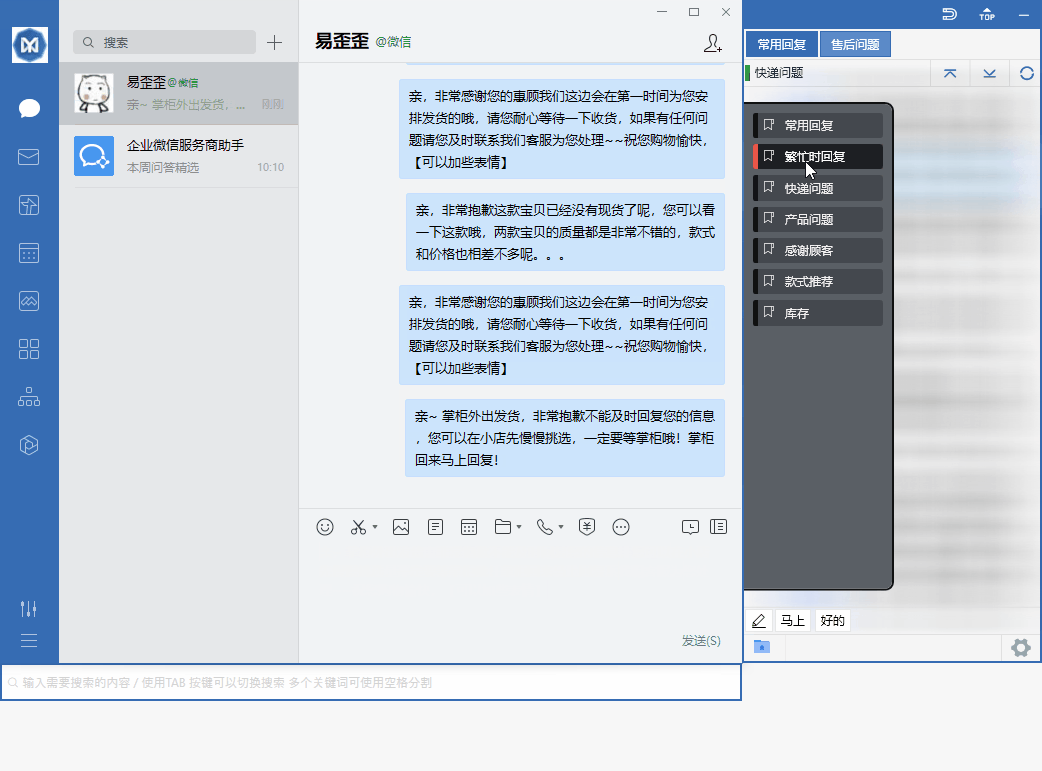
The Yiwaiwai steps are very simple: open the official website or the app, tap Register / Sign in or Use now, then choose the mobile number entry, then enter your 11-digit mobile number, then tap Get verification code, then enter the 6-digit SMS verification code you received, then confirm to complete registration and sign in automatically. Some pages also support registration with an email address plus a password (the email receives a verification code for activation). After registering and signing in, you sign in to the client with your account and password, and the software automatically attaches to chat windows such as QQ, WeChat, Qianniu, and Wangwang, so you can double-click a canned response to send it. If you just want to try basic features first, you can also directly use the registration-free standalone version.
How do you set up multi-device synchronized sign-in for Yiwaiwai, since the company has several computers that need the same canned responses?
The Yiwaiwai approach is that all the computers sign in to the online-version client with the same account, and the canned responses will then sync to the cloud in real time and stay consistent; a change on one device automatically updates the other signed-in devices. For team scenarios, it is recommended to put shared content in the public / company canned responses (shared by everyone, editable by several people at the same time with real-time sync), while private canned responses are visible only to the owner. Members can also create several customer service sub-accounts and assign roles and permissions. Key point: the number of devices online at the same time is limited by the license type, so for several computers please choose a license that supports multiple devices or the enterprise version, and view the online devices under account management / device management in the back end.
Can Yiwaiwai be registered with an email address, and what do you do if you do not have a mainland mobile number?
Yes. In addition to a mobile number, some Yiwaiwai pages mention support for registration with an email address plus a password, where you fill in the email and set a password, and the email receives a verification code for activation. When you do not have a mainland mobile number, email registration is the more worry-free route, and for overseas users it also avoids the problem of cross-border SMS not arriving. If you only need basic features such as quick replies and do not want to fuss over registration, you can also directly use the standalone / offline version, which is fully local and needs no account registration. The cloud sync feature, however, requires an online account, and its overseas reachability needs to be tested.
After registering for Yiwaiwai, does the free version have feature limits, and do you need to pay for membership?
The Yiwaiwai free version has limits but can be used normally. The free version stores about 200 phrases, and multi-keyword search, global custom hotkeys, batch operations, and more are exclusive to Pro / VIP. After subscribing to membership (from about 48 RMB per year), you unlock storage for more than 10000 entries, cloud sync of canned responses, Excel/EBF import and export, 7-day automatic cloud backup, and more. If your daily volume of canned responses is not large and you use it personally, the free version is enough for most cases; if you have many canned responses and need team cloud sync or batch operations, paying for membership is more worthwhile. Cloud backup (7-day automatic plus manual) is the same in both versions.
What is the complete process for registering a Yiwaiwai account, and what do you need to prepare?
For Yiwaiwai you only need to prepare a mobile number or an email address. The process: open the official website or the app, tap Register / Sign in or Use now, then choose the mobile number entry, then enter your 11-digit mobile number, then tap Get verification code, then enter the 6-digit SMS verification code, then confirm to complete registration and sign in automatically; you can also register with an email address plus a password (the email receives a verification code for activation). After that, you sign in to the client with your account and password, and the software automatically attaches to chat windows such as QQ, WeChat, and Qianniu, so you double-click a canned response to send it. If you want to try it first without registering, you can directly use the standalone version.
How do you recover your Yiwaiwai password if you forget it, and can you still sign in if no mobile number is bound?
For Yiwaiwai you usually tap Forgot password on the sign-in page and reset it by receiving a verification code through the mobile number or email address used at registration. If you registered with a mobile number, it is recommended to recover it using that number; if you registered with an email address, recover it using the email address. The material does not give a specific recovery path for the case where no mobile number is bound, so this needs to be tested or you can contact official customer service (support email: [email protected], with a promised reply within 24 hours). A reminder: standalone / offline version data is stored locally and does not depend on a cloud account, so there is no issue of cloud recovery.
After registering for Yiwaiwai, can you sign in and use it directly, or do you have to wait for review approval?
After registering for Yiwaiwai, you can sign in and use it directly, with no need to wait for review. The mobile number registration process is to enter the number, get the verification code, and enter the 6-digit verification code to confirm, which completes registration and signs you in automatically; with email registration, after the email receives a verification code for activation, you can sign in to the client with your account and password. After signing in, the software automatically attaches to chat windows, and you double-click a canned response to send it. The free version gives you basic features right away (about 200 phrases), and if you want advanced features such as cloud sync and batch operations, you can simply upgrade to membership, likewise with no review.
After Yiwaiwai is installed, how do you register an account and start using it for the first time?
Yiwaiwai has two routes. First, if you want to use it right away: after installing, simply open it and you can use basic features such as quick replies and canned-response editing, and without registration the data is stored on your local machine, which suits the standalone / offline version. Second, if you want cloud sync and sharing of canned responses among several people, you need to register: open the software or the official website and tap Register / Sign in (or Use now), then choose the mobile number entry, then enter your 11-digit mobile number, then tap Get verification code, then enter the 6-digit SMS verification code you received, then confirm to complete registration and sign in automatically. Some pages also support registration with an email address plus a password (the email receives a verification code for activation). After signing in, the software will automatically attach to chat windows such as QQ, WeChat, and Qianniu, so you can double-click a canned response to send it.
Does Yiwaiwai registration definitely require a mainland China mobile number, and can an overseas mobile number register?
Yiwaiwai official registration is primarily based on an 11-digit mobile number (it also supports registration with an email address plus a password), and this 11-digit format is basically designed for mainland mobile numbers. Whether an overseas mobile number can be entered and receive the verification code is not clearly stated by either the official side or a trustworthy community. If you do not have a mainland number, the two most reliable routes are: first, switch to the email address plus password method to register, with the email receiving a verification code for activation, which does not depend on a mobile number; second, if you only need basic features, the standalone / offline version needs no registration at all and no Internet connection, and the data is stored on your local machine. Whether overseas cloud sync can connect normally is likewise unverified, so it is recommended to test it first or consult official customer service (email [email protected]) to confirm.
Can Yiwaiwai be registered with an email address, or only with a mobile number?
Yiwaiwai can be registered with an email address. Official registration is primarily based on a mobile number (entering an 11-digit mobile number plus a 6-digit SMS verification code), but some pages also clearly mention support for the email address plus password registration method, where the process is to fill in the email and password, then have the email receive a verification code to activate the account. For overseas users who do not have a mainland mobile number, email registration is a more convenient alternative. After registration is complete, you sign in to the client with your account and password, and the software automatically attaches to chat windows such as QQ, WeChat, and Qianniu, so you double-click a canned response to send it. If you only use basic features, you can also choose the standalone version with no registration at all.
What do you do if Yiwaiwai registration does not receive the SMS verification code, and an overseas number receives the code slowly?
When Yiwaiwai does not receive the verification code, first check a few common points: confirm that the mobile number is entered correctly (the official side designs for an 11-digit mobile number), wait 1 to 2 minutes and then tap to resend, and check whether the SMS was blocked or went into the spam folder. It is common for an overseas number or a cross-border line to receive the code slowly or not at all, and the official side has no dedicated explanation. There are two ways to bypass it: first, switch to the email address plus password method to register, with the email receiving a verification code for activation, which does not depend on SMS; second, if you only need basic features, the standalone / offline version needs no registration at all and no Internet connection. If it still does not work, you can contact official customer service (email [email protected], with a promised reply within 24 hours). The overseas code-receiving issue is an unverified detail, so testing and confirming is recommended.
How do I register an account for Yiwaiwai on an Android phone? Is the process complicated?
It is not complicated. Open the Yiwaiwai Android app, tap Register/Sign in or Start now, choose the phone-number option, enter your 11-digit phone number, tap Get code, then enter the 6-digit SMS code you receive to confirm. Registration is complete and you are signed in automatically. Some pages also support registration with an email address plus a password. On Android, your canned responses roam and sync across devices along with your account. One reminder: whether an overseas phone number can receive the verification code needs to be tested in practice, and if it does not arrive you can switch to email registration.
How do I sign in to Yiwaiwai on a Windows computer? Do I have to register on a phone first?
You do not necessarily have to register on a phone first. The account is universal. You can go straight to the official website or the client and tap Register/Sign in, register with a phone number and SMS code, or register with an email address plus a password, then sign in on the Windows client with that account and password. After you sign in, the software automatically docks onto supported chat windows such as QQ, WeChat, Qianniu, and Pinduoduo, and you can double-click a canned response to send it. If you already registered on a phone before, simply sign in on the computer with the same account and your canned responses will sync automatically.
Does Yiwaiwai require you to register an account before you can use it, or can you try it first without registering?
Registration is not strictly required. After you download and install Yiwaiwai, you can directly use basic features such as quick replies and canned-response editing, and when you are not registered, the data is saved only on your local machine. You need to register and sign in to an account only if you want features such as cloud sync, team-shared canned responses, and roaming across multiple devices. So if you just want to try it first, simply install the standalone / offline version, which is fully local, permanently free, and does not require an Internet connection; you can register for the online version later once you have confirmed that you like it and want to share canned responses among several people.
Is Yiwaiwai free to register, or is there a charge for registration?
Registration itself is free of charge. The basic features of Yiwaiwai are permanently free, registering an account is free, and the free version can store about 200 phrases. What costs money is the VIP membership (Pro advanced features), billed by annual subscription: about 48 RMB for one year, 76 RMB for two years, and 98 RMB for three years. Only after you subscribe do you unlock cloud storage and sync of canned responses, batch operations, global hotkeys, storage for more than 10000 entries, import and export, automatic cloud backup, and more. In short: registration is free, and you can upgrade to membership later if you want the advanced features.
Can Yiwaiwai be registered and signed in to normally in Hong Kong, or will it be restricted?
Yiwaiwai is aimed at e-commerce customer service on the mainland, and account registration and cloud sync rely on mainland servers. Whether overseas regions such as Hong Kong can connect stably is not currently clearly stated by the official side, so you need to test and confirm this yourself. The safer approach is: first try to register with a mobile number or an email address, and if any step among the verification code, sign-in, or sync gets stuck, you can switch to the standalone / offline version, which runs fully locally, needs no Internet connection, and needs no registration, so it can bypass cross-border network problems. The official side currently offers no guarantee regarding overseas reachability, so a self-test before use is recommended.
If I use Yiwaiwai in Taiwan, do I need a mainland mobile number to register?
Yiwaiwai registration is primarily based on a mobile number, and it is also mentioned that you can register with an email address plus a password. It is aimed at the mainland e-commerce ecosystem, and whether an overseas or Taiwan mobile number can receive the SMS verification code normally is not clearly stated by the official side, so it needs to be tested and confirmed. It is recommended to first try a local mobile number; if you do not receive the verification code, switch to email registration (the email receives a verification code for activation), which is usually more reliable. If even cloud sign-in does not go smoothly, you can directly use the standalone / offline version, which lets you use the basic features without registering an account.
Can people here in Singapore download and register a Yiwaiwai account?
As for downloading Yiwaiwai, the official installer is hosted on an Alibaba Cloud Hong Kong OSS node, which is geographically fairly close to Southeast Asia, so it can generally be downloaded, although cross-border network speed will fluctuate. As for registration, the account system relies on mainland servers, and whether Singapore can smoothly receive the verification code, sign in, and sync is not clearly stated by the official side, so it needs testing. It is recommended to first try email registration; if you get stuck at the verification code or at sync, switch to the standalone / offline version, which runs locally, needs no registration, and still lets you use basic features such as quick replies.
Can a Malaysian mobile number register for Yiwaiwai, or can you only use a mainland number?
Yiwaiwai registration is primarily based on a mobile number, and it also supports registration with an email address plus a password. Whether a local Malaysian mobile number can receive the SMS verification code is not clearly stated by the official side for overseas use, so you need to test it yourself. It is recommended to give priority to trying email registration (the email receives a verification code for activation), to avoid the problem of cross-border SMS not arriving. If cloud sign-in and sync do not go smoothly, you can directly switch to the standalone / offline version, which needs no registration and saves data locally, and you can use the quick-reply and canned-response features as usual.
Can Yiwaiwai be used overseas, and during registration will it get stuck at the verification code step?
Yiwaiwai is a mainland e-commerce customer service tool, and the official side does not clearly guarantee whether registration and sign-in go smoothly overseas. A cross-border SMS verification code may indeed fail to arrive or be delayed, so testing is needed. There are two practical approaches: first, switch to registration with an email address plus a password, since an email verification code is usually more reliable than a cross-border SMS; second, if you only want to use basic features such as quick replies, simply install the standalone / offline version, which needs no registration at all and no Internet connection, thereby bypassing the verification code step at the root. The cloud sync feature, however, requires an online account, and its overseas reachability is unverified.
How do you turn on cloud sync of canned responses in Yiwaiwai, and when you sign in on a different device, will the canned responses sync automatically?
Yiwaiwai can sync automatically. Cloud sync is an online-version / VIP feature: after you sign in to the client with your account and password, the canned-response data syncs to the cloud in real time, so a change made on one device automatically updates other signed-in devices, and signing in on a different device also shows the same canned responses. To enable it, register and sign in to an account and use a version that supports cloud sync (the free version can store about 200 entries, while VIP can store more than 10000 entries and enjoy automatic cloud backup). If you are using the standalone / offline version, the data is stored only locally and does not roam through the cloud.
What causes Yiwaiwai to keep showing a loading spinner and fail to sign in, and how do you fix it?
Yiwaiwai continuously showing a spinner is most likely because the network cannot connect to the cloud service, which is especially common when the overseas cross-border link is unstable. You can troubleshoot as follows: first, check whether the network is working and try again on a different network or at a different time; second, confirm that the account and password are correct and that the version is the latest; third, wait a moment and retry, avoiding network peak hours. If you repeatedly cannot connect and you only need basic features, you can switch to the standalone / offline version, which runs locally and does not depend on the cloud, so it will not get stuck at sign-in. The official side offers only email support ([email protected], with a promised reply within 24 hours), and you can attach a screenshot with your feedback. (There is no dedicated official FAQ for specific sign-in failures; the above is general troubleshooting and needs to be tested and confirmed.)