 Yiwaiwai
 Yiwaiwai Download: Windows, Android, iPhone, and macOS
Pick your system to get Yiwaiwai: Windows, Android, iPhone, and macOS, all best downloaded from official channels, safe and without bundling.

Windows
Windows 7/10/11, full desktop features
Android
Android phone version: handle inquiries anytime, anywhere
iPhone
iPhone and iPad, web-based companion option
macOS
macOS, works on both Apple silicon and Intel
Go to the Official Site to Download
Please download from official channels to avoid third-party bundling and false virus alerts. The installer is hosted on Alibaba Cloud nodes.
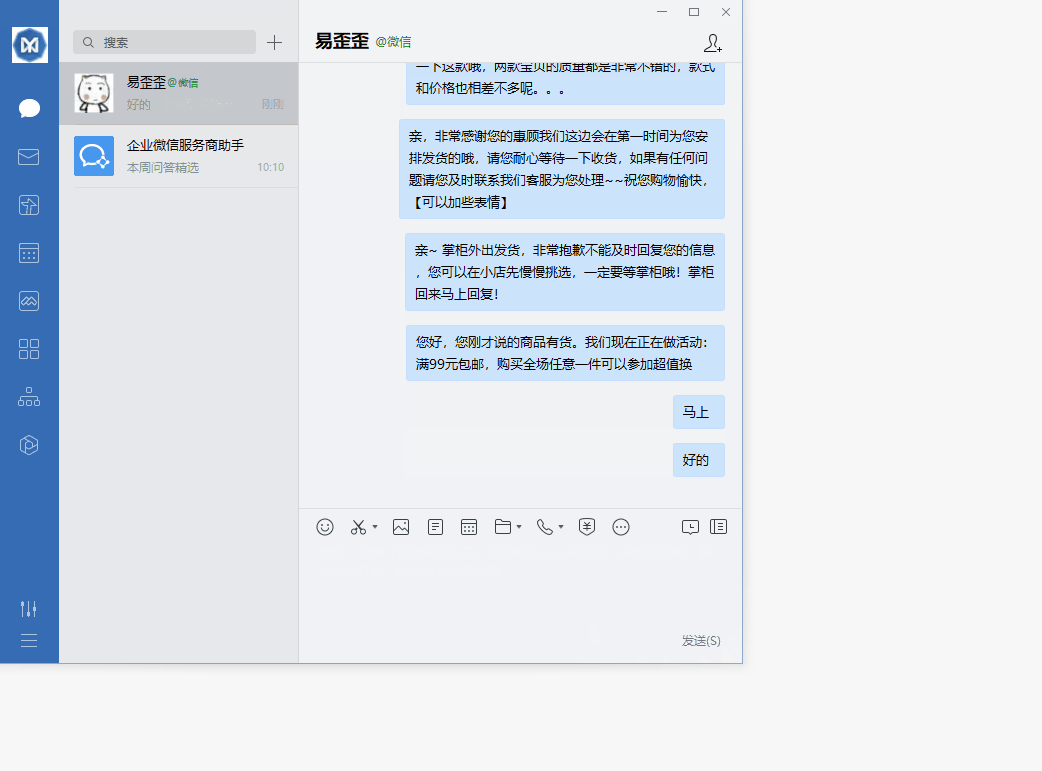
How do I sign in to the computer version of Yiwaiwai by scanning a QR code with my phone, and what if the scan does not work?
The sign-in method described officially for Yiwaiwai is signing in to the client with an account and password (registration is based mainly on a phone number plus an SMS code, with some support for email), and it does not mention signing in to the computer version by scanning a QR code with a phone.
So on the computer simply enter your account and password to sign in, and signing in to the same account on several devices will sync the canned responses automatically through the cloud, with no scan needed. If some QR code entry point you see will not scan, we recommend switching to signing in with an account and password instead. Whether a QR-code sign-in feature has been added depends on the actual interface of the client (needs to be tested in practice).
Can Yiwaiwai be downloaded from a cloud drive? Is there a Baidu Netdisk or Quark link?
You can just download Yiwaiwai from this site. Go to the Windows or Mac download page on this site (yiwaiwaiservice.com) and get the package directly (the Windows version also has a NET4 alternative, and the Mac side includes a cloud-sync version and a standalone version).
The official side has not published a Baidu Netdisk or Quark download link, and such links claimed online are of unknown origin and may carry bundled or malicious files. The most reliable approach is to recognize only yiwaiwaiservice.com and download directly from this site (needs to be tested in practice).
Can I still download an older Yiwaiwai installer, and where do I find historical versions?
The official Yiwaiwai download page mainly offers the current version (the Windows version goes through Lanzou Cloud as eyy-pc, with one NET4 alternative available).
Some third-party download sites do host installers with old version numbers (such as an earlier version of the standalone build), but third-party channels are non-official sources, and some also offer a cracked version, with risks of bundling, repackaging, and malware, so we do not recommend downloading from such sites just to find an old version. The safer approach is to get the current version from the official site.
If you want to roll back to an old version because the new one lags, the more on-point fix is actually to update to the latest version (which includes performance optimizations) and disable extra plugins. Whether the official side provides historical versions is best confirmed with support (needs to be tested in practice).
After downloading the computer version of Yiwaiwai, how do I auto-update to the latest version?
Yiwaiwai has versions that iterate continuously (such as the newer v1.9.x line, which includes performance optimizations), and staying on the latest version can reduce lag.
The official material does not specifically state whether the client has a built-in auto-update switch. The usual approach is to go to the download page on this site (look for yiwaiwaiservice.com), get the latest installer again, and install over the top to upgrade to the new version.
We recommend updating only from this site, and not taking the shortcut of using a cracked version or Pro version from a third-party site, because that kind of package risks bundling, repackaging, malware, and not getting official updates. Whether there is a one-click update inside the client is best judged by the actual interface (needs to be tested in practice).
How many Yiwaiwai clients can be installed on one computer, and will running multiple instances get me banned?
The official Yiwaiwai material does not state any rule on installing multiple clients or running multiple instances on a single computer, nor any related account-ban statement, so this is an unclear matter.
From the product design, the more common need is multi-person collaboration rather than multiple instances. Under the member main account you can create several customer-service sub-accounts and assign roles, so everyone signs in separately and shares public canned responses, which is more proper than forcing several instances on one machine.
Also note that the number of devices online at the same time is tied to the license type and version (the personal version is often 1 device, while multi-device or enterprise versions allow more), and it is not unlimited. Whether running multiple instances is allowed or leads to a ban is best confirmed with official support directly (needs to be tested in practice).
Yiwaiwai did not uninstall cleanly and left residual files. How do I completely remove them and reinstall?
Before reinstalling, back up your data first. A member can use Excel or EBF to export the canned responses, while the standalone version data is in your install folder (we recommend installing it from the start in a non-C-drive folder such as D:\CustomerServiceTools\Yiwaiwai, which makes it easier to keep).
After uninstalling, if anything remains, you can manually check and delete the leftover folders in the install directory, and end the related leftover processes in Task Manager to avoid an occupied file causing the reinstall to fail. Then right-click the official installer (recognize this site, yiwaiwaiservice.com) and choose Run as administrator to reinstall. For deeper cleanup involving the registry and the like, we recommend proceeding with caution or consulting support (needs to be tested in practice).
Compiled from public sources such as Microsoft Support, Apple macOS Support, Alibaba Cloud OSS and others; every link is clickable for verification.
Frequently Asked Questions
Yiwaiwai is installed but sign-in shows that this region is not supported for now; how do you get around it?
The sign-in and cloud sync of Yiwaiwai rely on mainland servers, and a region-related sign-in prompt appearing on an overseas or cross-border network is a reachability issue. You can first try: change the network environment and sign in again, confirm that the software is the latest version, and retry later. If you only use basic features such as quick replies and canned-response editing, the most straightforward approach is to switch to the standalone / offline version, which runs fully locally, needs no sign-in, and needs no Internet connection, directly bypassing the region restriction (standalone version data is stored locally and does not roam through the cloud). If you want to use cloud sync but are stuck on the region prompt, it is recommended to contact official customer service (email [email protected], replying within 24 hours) to confirm the availability of overseas accounts. The official side has no clear statement on overseas region support, so it is unverified; go by your own testing.
How do you identify the genuine official Yiwaiwai, and can the bunch of Yiwaiwai cracked versions online be used?
For Yiwaiwai, look for this site, yiwaiwaiservice.com, which carries a real company entity (Fuzhou Kuishang Technology Co., Ltd.) and filing information, and downloading directly from this site is all you need. Be wary of a batch of high-imitation or name-riding domains (such as yi-waiwai.com, various eyy250 .com.cn or prefix-and-suffix variants, yiwaiwai.com / .org, and so on), among which yi-waiwai.com has been confirmed as an impostor: the download button jumps to a disposable .shop domain unrelated to the domain and directly serves an exe, which is typical malicious distribution. As for the cracked versions online: the official side neither provides nor supports them, they generally carry the risk of bundling, repackaged installers, malware flags, and account data leaks, and the cloud sync that the cracking targets essentially depends on the official account system, so there is no guarantee of stability. The genuine version is only from 48 RMB per year, so a cracked version is not recommended.
Are Yiwaiwai cracked versions risky, and could they steal accounts or carry a trojan?
The risk is very real, and they are not recommended. The Yiwaiwai Pro cracked version or professional version circulating on a large number of third-party download sites (Xiazaiyinhang, 3DM, and so on) is neither provided nor supported by the official side, and these pages generally say nothing about the risks, while in reality they have problems such as malicious code or trojans, bundled installation, account data leaks, and being unable to get official updates. More importantly, the core that the cracking targets is cloud sync, and cloud sync essentially depends on the official account system, so after cracking there is no guarantee of stability at all, and it may fail at any time or even get banned in return. Do the math again: the genuine official version is only from 48 RMB per year, and the money saved with a cracked version is far from worth the cost of a stolen account, a trojan infection, or a data leak. If you are going to install it, get the genuine package from this site, yiwaiwaiservice.com.
Can I access the Yiwaiwai official website from Indonesia to download the computer version?
This official site (look for yiwaiwaiservice.com) is aimed at mainland users, and there is no dedicated official statement on whether it can be accessed smoothly from overseas, so reachability over a cross-border network needs to be tested by yourself. The good news is that its installer is hosted on an Alibaba Cloud Hong Kong OSS node, which is geographically closer for Southeast Asian users, so the download experience is usually not bad, but the cross-border public network fluctuates by region and time of day. If accessing this site or downloading is not smooth, you can drop the download link into a downloader that supports resuming interrupted transfers, or simply choose the official standalone version (runs offline, no internet needed) and use it offline for the long term after one download. Be sure to recognize only yiwaiwaiservice.com and beware of look-alike domains (needs to be tested in practice).
How can ethnic Chinese in the Philippines download the computer version of Yiwaiwai? Do they need a mainland phone number?
Downloading Yiwaiwai itself does not require signing in or a phone number. Go to the Windows or Mac download page on this site (look for yiwaiwaiservice.com) and get the installer straight from this site. A phone number is only used to register an account when you want the cloud sync or multi-person sharing of the online version. If you only want local use, you can install the standalone version directly, with no registration, no internet, and data stored on the local machine. Whether a mainland phone number is required and whether an overseas number can receive the verification code are not clearly stated officially and are unverified. For downloads, recognize only yiwaiwaiservice.com, and do not download from a high-quality imitation site that redirects to an unrelated .shop or similar domain (needs to be tested in practice).
The network in Myanmar is very laggy, and the Yiwaiwai installer cut off halfway through downloading. What should I do?
The Yiwaiwai installer is very small, about 40 to 80MB, and a cut-off is most likely cross-border network jitter rather than throttling. The most practical approach is to use a downloader that supports multithreading and resuming interrupted transfers (such as IDM, which defaults to about 8 threads and supports resuming), drop this site download link into it, and it can resume after a break, which is especially suited to an unstable network. At the same time, check that the downloader has not mistakenly turned on a throttling switch. Note that this is a community practice and is not specifically endorsed by the official side. A more carefree option is to download the official standalone version directly. It is small, and you install it once and then use it offline for the long term, avoiding the hassle of repeated downloads. For downloads, recognize only this site, yiwaiwaiservice.com.
Yiwaiwai says it cannot install to this disk halfway through installation. What should I do?
First check whether the target disk is short on space, which is the most common cause, and free up enough space before installing. Next, we recommend not installing to the C drive, but switching to a folder such as D:\CustomerServiceTools\Yiwaiwai, which both avoids permission issues and makes it easier to keep the data when reinstalling the system. For the installer, we recommend right-clicking and choosing Run as administrator to avoid a write failure caused by insufficient permissions. If it still does not work, it may be that antivirus software is blocking it or a leftover process has not ended, so you can temporarily disable the antivirus, end the related processes in Task Manager, and then reinstall. These three steps, switching the drive letter, leaving enough space, and running as administrator, resolve most issues of this kind.
The Yiwaiwai installer is blocked by 360 or Huorong. How do I add it to the allowlist and continue installing?
When an installer downloaded properly from this site (yiwaiwaiservice.com) is blocked, it is mostly a false positive. The way to handle it: add the Yiwaiwai installer or its install folder to the antivirus Trusted zone or allowlist, or temporarily disable the antivirus real-time protection during installation and turn it back on afterward. We recommend right-clicking the installer and choosing Run as administrator. A special reminder: be sure to get the package only from this site, yiwaiwaiservice.com, because third-party sites, especially a cracked version or pro cracked version, often carry real bundling, repackaging, and malware risks, and that kind of malware report is not necessarily a false positive. The exact path for adding to the allowlist varies by antivirus software, so follow the settings of the software you are using (needs to be tested in practice).
After downloading the computer version of Yiwaiwai, double-clicking does nothing and the installer will not open. What should I do?
For Yiwaiwai, first try right-clicking the installer and choosing Run as administrator, since insufficient permissions are a common reason that double-clicking does nothing. Next, check whether the file downloaded completely, because a network interruption may produce a broken package, so you can download it again from this site (yiwaiwaiservice.com) or re-download it with a downloader that supports resuming. Then see whether it is blocked by antivirus software or occupied by a leftover process, and you can temporarily disable the antivirus, end the related processes in Task Manager, and retry. Note that the system requirement is Win7/8/10/11, and XP is not supported. If it is a Mac saying it cannot be opened, go to System Preferences, then Security and Privacy, then General, then Open Anyway.
Yiwaiwai says a runtime library or .NET component is missing during installation. What do I need to install first?
Besides the regular version, the official Windows download page for Yiwaiwai also offers an alternative NET4 version, and when it says a .NET component is missing, downloading this NET4 version instead usually solves it. If it still says a runtime library is missing, you can install the corresponding .NET Framework runtime from the official Microsoft source and then install Yiwaiwai. For the installer, we recommend right-clicking and choosing Run as administrator, and make sure the system is Win7/8/10/11 (XP is not supported). Which version of the component is missing depends on the popup prompt, and downloading the runtime from the official Microsoft channel is the safest (needs to be tested in practice).
Is Yiwaiwai slow because the download has to connect to a mainland server?
It does not necessarily connect to the mainland. The official Windows version of Yiwaiwai downloads through Lanzou Cloud, and in practice the installer is hosted on an Alibaba Cloud Hong Kong OSS node (the link looks like oss-cn-hongkong). For ethnic Chinese in Southeast Asia, the Hong Kong node is geographically closer and is usually faster than a mainland node, but the cross-border public network is still affected by the carriers interconnection quality, so the speed fluctuates. The slowness is more about route jitter than a need to connect to the mainland. You can switch networks or time and retry, use a downloader with resuming, or simply switch to the standalone or offline version for long-term offline use.
Does Yiwaiwai have a download link on Google Drive or a cloud drive?
You can just download the official Windows version of Yiwaiwai from this site. Go to the download page on this site, yiwaiwaiservice.com, and get the package directly (the Mac version is likewise downloaded on this site). The official side does not provide a Google Drive link or a self-built overseas mirror or cloud-drive list, and so-called multiple routes are a community workaround. To download, recognize this site, yiwaiwaiservice.com, and do not use an imitation site or a cloud-drive link of unknown origin (some imitation sites jump to an unrelated random .shop domain to deliver the file directly, with bundling risk).
Can Yiwaiwai be downloaded from GitHub or a third-party mirror site?
We do not recommend it for Yiwaiwai. The official genuine entry is this site, yiwaiwaiservice.com, where both the Windows version and the Mac version are downloaded directly, and the official side has no GitHub repository or official mirror site. Third-party download sites (such as 3DM, Tianji, Download Bank, and the like) do also offer installers, and some even fly the banner of a cracked version or pro cracked version, but they are non-official channels with risks such as bundled plugins, repackaging, malware reports, and embedded malicious code, and you cannot get official updates. Getting the package from this site is the most reliable.
Is an installer of Yiwaiwai downloaded from a third-party website safe?
The risk is fairly high, and we do not recommend it. Third-party download sites (3DM, Tianji, Download Bank, kxdw, and so on) can indeed download Yiwaiwai, but they are non-official channels, some clearly offer a cracked version or pro cracked version, and they generally do not disclose any risk source, with problems such as bundled plugins, repackaging, malware reports, malicious code, leaks of account data, and no official updates. Be even more wary of imitation sites: some download buttons jump to a random .shop domain entirely unrelated to this site to deliver the file directly, which is typical malicious distribution. The safe approach is to recognize only this site, yiwaiwaiservice.com, for the package, and the genuine personal VIP is only 48 yuan per year and up.
Will downloading Yiwaiwai with a VPN abroad be much faster?
Not necessarily. The official Yiwaiwai package is on an Alibaba Cloud Hong Kong OSS node, which is already fairly close geographically for ethnic Chinese in Southeast Asia. If a VPN routes the traffic to a more distant region, it may instead be slower. The root cause of slowness is mostly cross-border public-network jitter rather than server-side throttling, and switching networks or time and retrying, or using a downloader with resuming, is often more effective than simply running a VPN. The official side has not published an overseas accelerated route. If your network stays unstable, on the computer the most carefree option is to use the standalone or offline version directly and use it offline for the long term after one download.
I turned on an accelerator to download Yiwaiwai but it is still very slow. Why?
An accelerator cannot always help. The Yiwaiwai installer is very small, the official package is on an Alibaba Cloud Hong Kong node, which is already fairly close for Southeast Asia, and if the accelerator routes the connection to a more distant region, or the node itself is congested, it drags things down instead. The root of the slowness is cross-border public-network jitter, not server-side throttling. You can turn off the accelerator and try a direct connection, switch networks or avoid peak hours, and use a downloader that supports resuming. The official side does not provide an overseas accelerated route. To make it entirely carefree, on the computer use the standalone or offline version and use it offline for the long term after one download.
Yiwaiwai says network error during download and retrying still does not work. What should I do?
For Yiwaiwai, first check your local network: switch Wi-Fi or carrier and retry outside peak hours, since cross-border public-network jitter often causes this kind of error. Then confirm that the download address is this site, yiwaiwaiservice.com, and not an expired or imitation link. You can drop this site download link into a downloader that supports resuming and retry. If it still does not work, switch to the standalone or offline version and use it offline for the long term after one package, avoiding the online download. The official support email is [email protected], with a promise to reply within 24 hours.
What does it mean when Yiwaiwai says the connection timed out during download?
A connection timeout generally means your device did not stably connect to the download server within the allotted time, mostly caused by cross-border public-network jitter or an unstable network, and not by Yiwaiwai server-side throttling. To handle it: switch to a more stable network or change the time and retry, turn off an accelerator or VPN that might route the long way and try a direct connection, and use a downloader that supports resuming to reconnect. Confirm that you are using the download address of this site, yiwaiwaiservice.com. If it times out repeatedly, on the computer you can switch to the standalone or offline version and use it offline for the long term after one download, avoiding the network issues during the download stage.
The Yiwaiwai official website shows This site cannot be reached. How do I solve it?
For Yiwaiwai, first confirm that what you are visiting is this site, yiwaiwaiservice.com, and do not be misled by an imitation domain with a changed prefix or suffix (such as yi-waiwai.com, eyy250.com.cn, and the like). Failure to open is mostly a local network problem: switch networks or time, clear the browser cache, and turn off an accelerator or VPN that might route the long way and try a direct connection. Overseas access reachability is not specifically stated by the official side and is marked as unverified, so you may need to handle the network yourself. For downloads, recognize only the download page of this site, yiwaiwaiservice.com. You can also email [email protected] to contact the official side, with a promise to reply within 24 hours.
The downloaded Yiwaiwai installer will not open and says it is damaged. What should I do?
On Windows, when Yiwaiwai says it is damaged, it is most likely that the download was interrupted and the package is incomplete, so please download a fresh complete copy from this site, yiwaiwaiservice.com, and right-click and choose Run as administrator. On Mac, if it says it cannot be opened after installing, that is usually a Gatekeeper security prompt rather than real damage, so go to System Preferences, then Security and Privacy, then General, and choose Open Anyway. Be sure to get the package only from this site, because packages from third-party or imitation sites are more easily altered or carry extra content, which instead causes damage or blocking.