 Yiwaiwai
 Yiwaiwai Overseas Payment and Payment-Failure Troubleshooting
What payment methods work for membership overseas, and where does a failed payment get stuck? This article gathers cross-border payment channels and failure-troubleshooting steps.

I am in Hong Kong. How do I pay for Yiwaiwai membership, and can I use Octopus or PayMe?
The official Yiwaiwai pricing page only gives mainland RMB prices (starting at 48 RMB per year) and does not list separate Hong Kong, Taiwan, or overseas currency prices or local payment methods, so there is currently no official information stating support for Hong Kong local tools such as Octopus or PayMe.
In practice, overseas users and those in Hong Kong and Macau mostly complete payment via Alipay, WeChat, or a top-up agent found on Taobao. If you do not have a mainland payment method on hand, you can consider binding a channel that supports RMB settlement, or use the basic version or standalone version, which are free forever, as a stopgap. Before paying, we recommend contacting official support directly to confirm the currently available payment methods (please confirm by testing).
I am in Taiwan. Does Yiwaiwai payment support LINE Pay or JKOPay?
The official Yiwaiwai pricing page only lists mainland RMB prices (starting at 48 RMB per year) and does not disclose localized pricing or payment methods for Taiwan, so there is no official information indicating support for Taiwan local tools such as LINE Pay or JKOPay.
Currently overseas users and those in Hong Kong and Taiwan mostly pay via Alipay, WeChat, or a top-up agent on Taobao. If you do not have a mainland payment account, you can ask a relative or friend with a mainland account to pay on your behalf, or use the basic version or standalone version, which are free forever, over the long term. For the specific available payment methods, we recommend contacting official support directly before paying to confirm (please confirm by testing).
I am in Singapore. Can Yiwaiwai membership be paid with PayNow or a credit card?
The official Yiwaiwai pricing page only gives mainland RMB prices (starting at 48 RMB per year) and does not list separate Singapore local pricing or payment methods, so there is no official information stating support for PayNow or directly charging an overseas credit card.
The realistic approach is that overseas users mostly pay via Alipay, WeChat, or a top-up agent on Taobao. If you do not have a mainland payment account, you can ask someone with an account to pay on your behalf, or first use the basic version or standalone version, which are free forever. Whether a local credit card or PayNow can be used is something to confirm directly with official support before paying (please confirm by testing).
I am in Malaysia. Can Yiwaiwai payment use Touch n Go or online banking?
The official Yiwaiwai pricing page only lists mainland RMB prices (starting at 48 RMB per year) and does not disclose localized pricing or payment methods for Malaysia, so there is no official information indicating support for Touch n Go or Malaysian online banking.
In practice, overseas users mostly pay via Alipay, WeChat, or a top-up agent found on Taobao. If you do not have a mainland payment account, you can ask a relative or friend to pay on your behalf, or use the basic version or standalone version, which are free forever, over the long term. Whether a local e-wallet or online banking is supported is something we recommend confirming directly with official support before paying (please confirm by testing).
Overseas, without mainland Alipay or WeChat, can I still buy Yiwaiwai membership?
Yes, but you have to work around it. The official Yiwaiwai pricing page uses mainland RMB prices (starting at 48 RMB per year), the vendor does not list separate overseas currency prices or local payment methods, and the common approach is to pay via Alipay, WeChat, or a top-up agent on Taobao.
If you have no mainland payment account at all, you can ask a relative or friend with mainland Alipay or WeChat to pay on your behalf, or find a reputable top-up service on Taobao. Before sorting out payment, you can also use the basic version or standalone version, which are free forever, as a long-term stopgap.
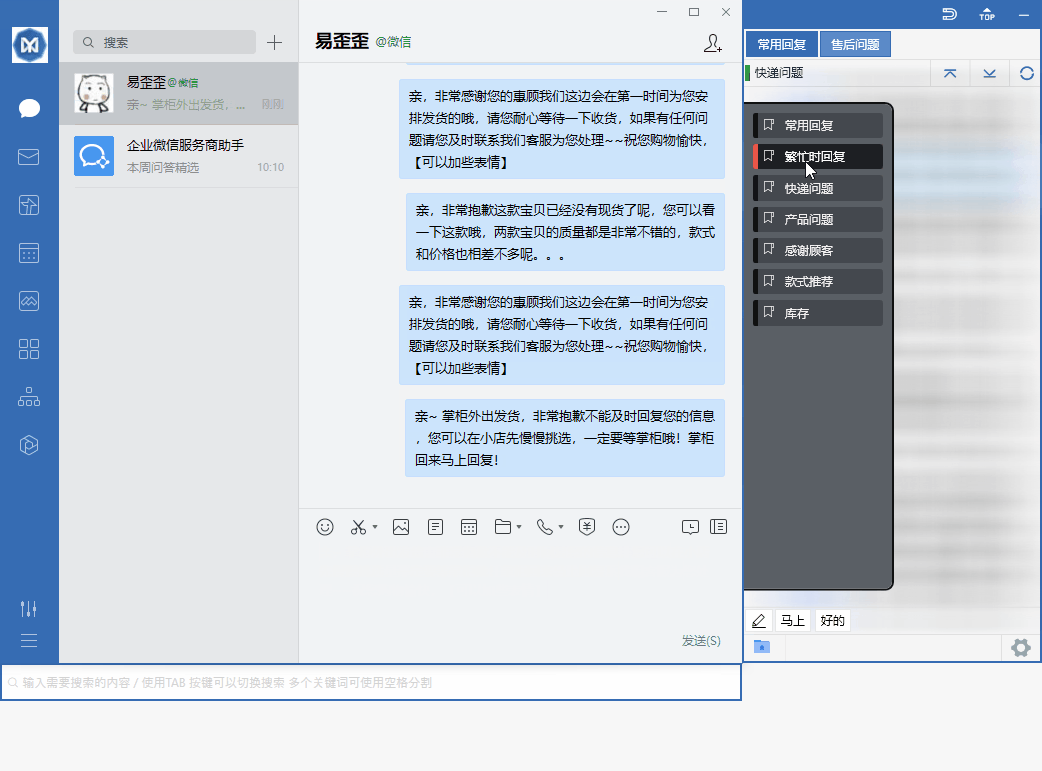
The standalone version works offline and does not affect daily quick replies. For the specific available payment methods, we recommend asking official support first (please confirm by testing).
Yiwaiwai payment failed with a transaction error message. What is the cause?
The official materials have no dedicated payment troubleshooting guide, so the following are general and reliable directions to check (please confirm by testing): first, a payment channel issue.
Overseas users mostly pay via Alipay, WeChat, or a top-up agent on Taobao, and if the card or account does not support RMB settlement, the balance is insufficient, or risk controls block it, a transaction error can appear. Second, a network issue. Yiwaiwai payment and login rely on mainland services, and an unstable overseas network can easily interrupt them. Third, a duplicate or timeout.
Wait a few minutes and retry during a different time of day. We recommend verifying the payment account status, switching to another payment method, and if it still does not work, contacting official support directly. The official site offers email support ([email protected], with a promised reply within 24 hours).
I paid for Yiwaiwai but the membership did not arrive. Who do I ask for a refund?
You should contact Yiwaiwai official support directly. The official site has limited information and mainly offers email support ([email protected], with a promised reply within 24 hours); you can send over the payment receipt, the order time, and the login account together to explain the situation.
If you bought it through a top-up agent on Taobao, you can also turn to the agent shop or have the Taobao platform step in. We recommend first confirming whether it truly did not arrive: sometimes the login account does not match the payment account, or the client needs to sign in again to refresh the membership status. The vendor does not publish a dedicated refund policy (please confirm by testing), so contacting support with your receipt as soon as possible is the most effective route.
What should I do if the Yiwaiwai scan-to-pay screen keeps spinning and the payment will not go through?
When the Yiwaiwai scan-to-pay screen keeps spinning and will not complete, it is most often a network routing issue, especially since cross-border networks can stall when accessing mainland China payment or services from overseas.
You can troubleshoot like this: (1) switch to a more stable network (for example, switch between Wi-Fi and mobile data, or retry at a different time); (2) refresh the payment page to generate a new QR code and scan again; (3) confirm that Alipay or WeChat itself can pay normally; (4) try a different device or a different browser. If it still does not work, it is best to contact the official email support ([email protected], reply within 24 hours). These are general troubleshooting methods and need to be tested against your actual situation.
Compiled from public sources such as WhatsApp Business, AliExpress Seller, Shopee Seller and others; every link is clickable for verification.
Frequently Asked Questions
I am in Hong Kong. How do I pay for Yiwaiwai membership, and can I use Octopus or PayMe?
The official Yiwaiwai pricing page only gives mainland RMB prices (starting at 48 RMB per year) and does not list separate Hong Kong, Taiwan, or overseas currency prices or local payment methods, so there is currently no official information stating support for Hong Kong local tools such as Octopus or PayMe. In practice, overseas users and those in Hong Kong and Macau mostly complete payment via Alipay, WeChat, or a top-up agent found on Taobao. If you do not have a mainland payment method on hand, you can consider binding a channel that supports RMB settlement, or use the basic version or standalone version, which are free forever, as a stopgap. Before paying, we recommend contacting official support directly to confirm the currently available payment methods (please confirm by testing).
I am in Taiwan. Does Yiwaiwai payment support LINE Pay or JKOPay?
The official Yiwaiwai pricing page only lists mainland RMB prices (starting at 48 RMB per year) and does not disclose localized pricing or payment methods for Taiwan, so there is no official information indicating support for Taiwan local tools such as LINE Pay or JKOPay. Currently overseas users and those in Hong Kong and Taiwan mostly pay via Alipay, WeChat, or a top-up agent on Taobao. If you do not have a mainland payment account, you can ask a relative or friend with a mainland account to pay on your behalf, or use the basic version or standalone version, which are free forever, over the long term. For the specific available payment methods, we recommend contacting official support directly before paying to confirm (please confirm by testing).
I am in Singapore. Can Yiwaiwai membership be paid with PayNow or a credit card?
The official Yiwaiwai pricing page only gives mainland RMB prices (starting at 48 RMB per year) and does not list separate Singapore local pricing or payment methods, so there is no official information stating support for PayNow or directly charging an overseas credit card. The realistic approach is that overseas users mostly pay via Alipay, WeChat, or a top-up agent on Taobao. If you do not have a mainland payment account, you can ask someone with an account to pay on your behalf, or first use the basic version or standalone version, which are free forever. Whether a local credit card or PayNow can be used is something to confirm directly with official support before paying (please confirm by testing).
I am in Malaysia. Can Yiwaiwai payment use Touch n Go or online banking?
The official Yiwaiwai pricing page only lists mainland RMB prices (starting at 48 RMB per year) and does not disclose localized pricing or payment methods for Malaysia, so there is no official information indicating support for Touch n Go or Malaysian online banking. In practice, overseas users mostly pay via Alipay, WeChat, or a top-up agent found on Taobao. If you do not have a mainland payment account, you can ask a relative or friend to pay on your behalf, or use the basic version or standalone version, which are free forever, over the long term. Whether a local e-wallet or online banking is supported is something we recommend confirming directly with official support before paying (please confirm by testing).
Overseas, without mainland Alipay or WeChat, can I still buy Yiwaiwai membership?
Yes, but you have to work around it. The official Yiwaiwai pricing page uses mainland RMB prices (starting at 48 RMB per year), the vendor does not list separate overseas currency prices or local payment methods, and the common approach is to pay via Alipay, WeChat, or a top-up agent on Taobao. If you have no mainland payment account at all, you can ask a relative or friend with mainland Alipay or WeChat to pay on your behalf, or find a reputable top-up service on Taobao. Before sorting out payment, you can also use the basic version or standalone version, which are free forever, as a long-term stopgap. The standalone version works offline and does not affect daily quick replies. For the specific available payment methods, we recommend asking official support first (please confirm by testing).
Can Yiwaiwai membership be paid with an overseas-issued Visa or Mastercard?
The official Yiwaiwai pricing page only lists mainland RMB prices (starting at 48 RMB per year) and does not state support for direct payment with an overseas-issued Visa or Mastercard, nor does the vendor list separate overseas currency prices. Currently overseas users mostly pay via Alipay, WeChat, or a top-up agent on Taobao. If your overseas credit card can be bound to Alipay or WeChat and settle in RMB, then in theory you can go through those two channels; otherwise you can consider asking someone with a mainland account to pay on your behalf. Whether direct payment with an overseas card is supported is something we recommend confirming directly with official support before paying (please confirm by testing).
Can I buy Yiwaiwai membership in the App Store with an overseas Apple ID?
Basically no. The Yiwaiwai app in the Apple App Store is a free download, the page lists no in-app purchases or subscriptions, and the mobile side is positioned as a companion tool for storing and viewing canned responses, while payment (Pro/VIP) mainly happens on the Windows desktop. In other words, membership is not bought through App Store in-app purchase, so no matter which country the Apple ID is from, you cannot buy Yiwaiwai membership directly in the App Store. To activate membership, you need to pay at the official price on the desktop (starting at 48 RMB per year), and overseas users mostly pay via Alipay, WeChat, or a top-up agent on Taobao.
I am in Thailand. Can the Yiwaiwai membership be paid for with PromptPay?
Yiwaiwai is priced officially in yuan, and payment goes mainly through mainland channels such as Alipay and WeChat Pay, with no mention in the official material of supporting Thailand local PromptPay. The usual practice for overseas Chinese is to use Alipay or WeChat, or to pay in yuan through a method such as Taobao proxy top-up. Whether PromptPay can be used directly is not stated officially, and it can basically be judged as unsupported, which needs to be tested in practice. We recommend preferentially having Alipay or WeChat Pay ready to purchase the membership.
I am in Vietnam. Does Yiwaiwai payment support MoMo or a local bank card?
Yiwaiwai is priced in yuan, and the payment channels are mainly Alipay and WeChat Pay, with no mention in the official material of supporting Vietnam MoMo wallet or a local bank card. Overseas users generally pay in yuan through Alipay or WeChat, or by finding a Taobao proxy top-up. Whether MoMo or a Vietnamese local card can be used is not stated officially, and it can basically be judged as outside the official support scope, which needs to be tested in practice. We recommend having an Alipay or WeChat account ready to activate the membership.
I am in Indonesia. Can the Yiwaiwai membership be paid for with GoPay or OVO?
Yiwaiwai is priced officially in yuan, and payment mainly supports Alipay and WeChat Pay, with no mention in the official material of Indonesia local GoPay or OVO wallet. Overseas Chinese buying the membership usually use Alipay or WeChat, or pay in yuan through Taobao proxy top-up. Whether GoPay or OVO can be used is not stated officially, and it can basically be judged as unsupported, which needs to be tested in practice. We recommend preferentially preparing Alipay or WeChat Pay to complete the purchase.
I am in the Philippines. Can Yiwaiwai payment use GCash?
Yiwaiwai is priced officially in yuan, and the payment channels are mainly Alipay and WeChat Pay, with no mention in the official material of supporting the Philippines GCash. Overseas users generally use Alipay or WeChat, or pay in yuan through Taobao proxy top-up to buy the membership. Whether GCash can be used directly is not stated officially, and it can basically be judged as unsupported, which needs to be tested in practice. We recommend having Alipay or WeChat Pay ready first, which makes activating the membership the smoothest.
Does paying for Yiwaiwai require a mainland China mobile number to place an order?
Yiwaiwai registration is primarily based on a mobile number (you enter an 11-digit mobile number plus a 6-digit SMS verification code), and some pages also mention that you can register with an email address and password. When you pay, you place the order using the account you already registered, so in theory having an account is enough to pay. However, whether the registration and payment flow gets stuck at a step that demands a mainland China mobile number or a mainland China payment method is not specifically addressed by the company for overseas users. This is a blind spot the official materials do not cover, so it needs hands-on testing to confirm. You can try registering with an email first and have Alipay or WeChat ready.
Can the Yiwaiwai membership fee be paid with PayPal?
Yiwaiwai prices in Chinese yuan, and payment mainly goes through Alipay and WeChat Pay. The official materials do not mention support for PayPal. Overseas users usually buy a membership with Alipay or WeChat, or pay in yuan through a Taobao top-up agent. Whether PayPal works is not stated by the company, and it can basically be judged to fall outside the official supported range, so it needs hands-on testing to confirm. If you are overseas, it is best to use Alipay or WeChat Pay to buy the membership, as that is the most reliable.
When buying a Yiwaiwai membership overseas, is it settled in Chinese yuan or the local currency?
The official Yiwaiwai pricing page lists prices only in Chinese yuan (48 yuan for 1 year, 76 yuan for 2 years, 98 yuan for 3 years), and it does not separately list local currency prices for Hong Kong, Taiwan, or Southeast Asia. When buying from overseas, users generally go through Alipay, WeChat, or a Taobao top-up agent, which in essence still settles the yuan amount, with the payment tool converting at the exchange rate at that moment to charge you. So you can understand it as priced in yuan and paid in local currency converted at the exchange rate. The exact amount charged is whatever the payment page shows when you place the order.
Yiwaiwai payment failed with a transaction error message. What is the cause?
The official materials have no dedicated payment troubleshooting guide, so the following are general and reliable directions to check (please confirm by testing): first, a payment channel issue. Overseas users mostly pay via Alipay, WeChat, or a top-up agent on Taobao, and if the card or account does not support RMB settlement, the balance is insufficient, or risk controls block it, a transaction error can appear. Second, a network issue. Yiwaiwai payment and login rely on mainland services, and an unstable overseas network can easily interrupt them. Third, a duplicate or timeout. Wait a few minutes and retry during a different time of day. We recommend verifying the payment account status, switching to another payment method, and if it still does not work, contacting official support directly. The official site offers email support ([email protected], with a promised reply within 24 hours).
I paid for Yiwaiwai but the membership did not arrive. Who do I ask for a refund?
You should contact Yiwaiwai official support directly. The official site has limited information and mainly offers email support ([email protected], with a promised reply within 24 hours); you can send over the payment receipt, the order time, and the login account together to explain the situation. If you bought it through a top-up agent on Taobao, you can also turn to the agent shop or have the Taobao platform step in. We recommend first confirming whether it truly did not arrive: sometimes the login account does not match the payment account, or the client needs to sign in again to refresh the membership status. The vendor does not publish a dedicated refund policy (please confirm by testing), so contacting support with your receipt as soon as possible is the most effective route.
What should I do if the Yiwaiwai scan-to-pay screen keeps spinning and the payment will not go through?
When the Yiwaiwai scan-to-pay screen keeps spinning and will not complete, it is most often a network routing issue, especially since cross-border networks can stall when accessing mainland China payment or services from overseas. You can troubleshoot like this: (1) switch to a more stable network (for example, switch between Wi-Fi and mobile data, or retry at a different time); (2) refresh the payment page to generate a new QR code and scan again; (3) confirm that Alipay or WeChat itself can pay normally; (4) try a different device or a different browser. If it still does not work, it is best to contact the official email support ([email protected], reply within 24 hours). These are general troubleshooting methods and need to be tested against your actual situation.
My credit card was declined when paying for a Yiwaiwai membership. How do I resolve it?
Official Yiwaiwai payment mainly goes through Alipay and WeChat Pay (settled in yuan). The official materials do not list credit cards as a standard payment method, so an overseas credit card being declined is very likely because the channel itself is not supported or because cross-border risk controls blocked it. It is best to switch to Alipay or WeChat Pay to buy the membership, as that is the main channel the company supports; overseas users also often pay in yuan through a Taobao top-up agent. If you insist on using a card or run into problems, you can contact the official email support ([email protected]) to confirm. The specific reason for the decline needs hands-on testing to confirm.
How do I request a refund if I was double-charged for a Yiwaiwai membership?
The official Yiwaiwai site does not publish a dedicated refund or complaint FAQ. If you were double-charged, the most direct approach is to contact the official email support ([email protected], which promises a reply within 24 hours), attaching your account, the order or charge screenshot, and the time and amount of the charge, and explaining that there was a duplicate charge and you are requesting a refund. If you paid through Alipay, WeChat, or a Taobao top-up agent, you can also start a refund or complaint within the transaction records of that payment platform. The actual handling depends on the reply from official support, so follow up and test as needed.
Overseas payment shows that the currency is not supported. How do I handle it?
Yiwaiwai prices officially in Chinese yuan, and payment mainly goes through Alipay and WeChat Pay, with no local currency settlement option, so a currency not supported message usually means the payment method you used is not within the official yuan channels. How to handle it: switch to Alipay or WeChat Pay (which charges yuan converted at the exchange rate), or pay in yuan through a method such as a Taobao top-up agent. If there are still problems, contact the official email support ([email protected]) and explain. The final word is whatever the payment page shows when you place the order, so it needs hands-on testing to confirm.