 Yiwaiwai
 Yiwaiwai script backup, import/export and device migration
How to back up scripts to the cloud, sync on a new computer, import via Excel or a script pack, fix garbling and expiry data loss? A guide to Yiwaiwai backup, import/export and migration.


How do I upload local Yiwaiwai canned responses to the cloud, and how do I sync them down after switching computers?
The prerequisite is to activate the membership cloud sync (in the free or standalone version data is stored only locally and is not uploaded to the cloud).
Once activated, sign in to the online version with your account and your local canned responses will sync to the cloud, with support for import and export in Excel or EBF format for bulk migration. When you switch computers, install Yiwaiwai on the new computer and sign in with the same account, and the cloud canned responses will sync down automatically, while a change on one device also updates the other signed-in devices automatically. The source material does not give a step-by-step path for the upload button, so for the exact steps refer to the prompts inside the client or consult official support.
Does Yiwaiwai support importing canned responses from an Excel spreadsheet, and what format should the spreadsheet follow?
Yes, it is supported. Yiwaiwai VIP membership provides Excel and EBF import and export, so you can import canned responses in batches with an Excel spreadsheet.
However, the official materials do not give the exact column format of the Excel template (such as which column holds the title, which holds the content, and which holds the keywords), so it is recommended to download the official import template inside the import feature of the client and fill it in according to the column order of the template, which is the safest. The exact spreadsheet format should follow the actual template in the client, and needs to be confirmed through testing.
How do I import a canned-response package shared by someone else into my own Yiwaiwai account?
Yiwaiwai supports importing and exporting canned responses, and VIP membership can import and export in Excel and EBF formats.
If what someone shares with you is an exported script file (such as EBF or Excel), you can select that file to import in the import feature of your own client, and after importing it goes into your script library. With the connected edition it also syncs to the cloud and becomes available across devices.
Note that the import file format must be correct; the wrong format will cause an error. The exact import entry point and the format of the shared package should follow the actual client, and need to be confirmed through testing.
Traditional Chinese characters in Yiwaiwai canned responses turn into garbled text after import. How do I fix it?
Garbled text after import is usually caused by a mismatch between the text encoding of the import file and the encoding the software reads (commonly when Excel or text is saved with the wrong encoding).
Workable options: save the Excel or text file you want to import as UTF-8 encoding and import it again, or confirm the content displays correctly in Excel before using the import feature of the software. Yiwaiwai has no dedicated documentation about garbled traditional Chinese characters; this is a general encoding problem, and handling it with the methods above usually resolves it, though you still need to confirm it yourself through testing.
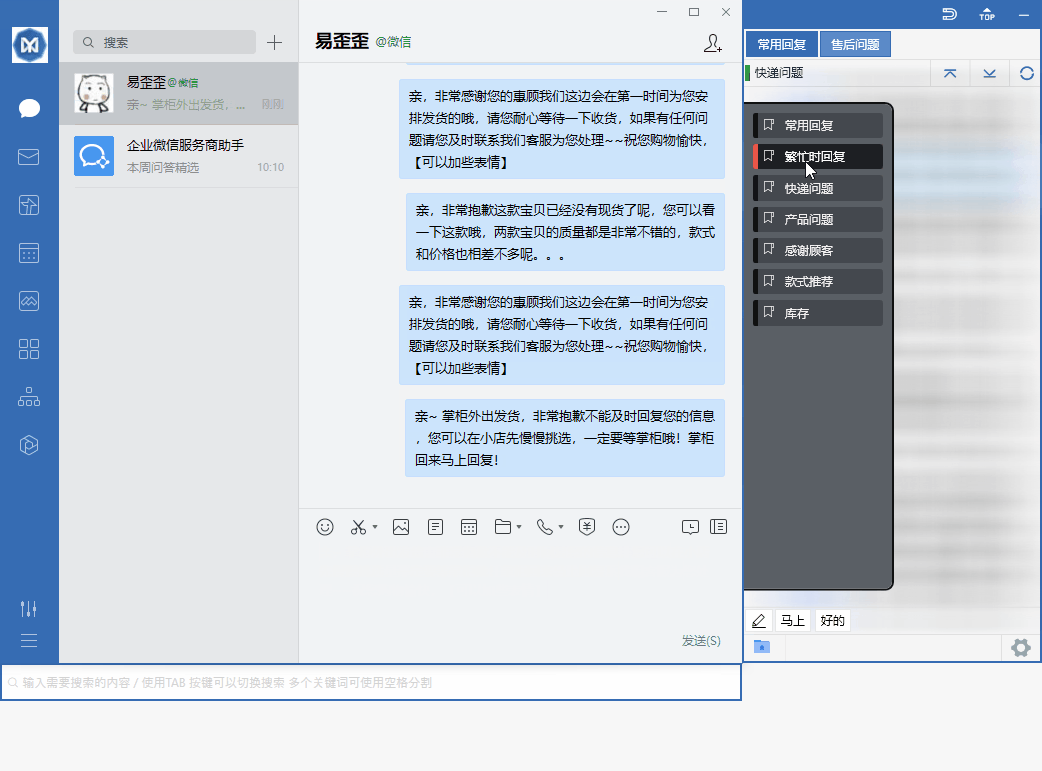
Can Yiwaiwai import multilingual canned responses in Thai and Vietnamese to send to local customers?
Yiwaiwai supports importing canned responses via Excel and EBF, so in principle you can make Thai and Vietnamese scripts into a spreadsheet, import and save them for use, and double-click to send them just like Chinese scripts.
However, the official materials have no dedicated documentation for multiple languages or less common languages, so when importing such text take care to use UTF-8 encoding for the file to avoid garbled text. Whether Thai and Vietnamese can display and send perfectly, and whether the overseas platform you send to supports them, is something you should confirm by importing a small amount for testing before using it in bulk.
After a Yiwaiwai membership expires, will the canned responses and data already saved be lost?
Based on the existing materials, when a Yiwaiwai membership expires it generally does not directly delete your canned response data.
Standalone version data is stored on your own machine to begin with, unrelated to membership, and stays there; in the networked version, canned responses are stored under the account, and after expiry it is usually the advanced features (such as cloud sync, storage beyond the free cap, and batch operations) that become limited, rather than existing data being wiped. That said, after expiry, if the number of canned responses exceeds the free version cap (around 200), whether the excess can still be used is not made clear by the company, so it needs hands-on testing to confirm. It is best to export or back up before expiry.
Compiled from public sources such as Alibaba Cloud OSS, Microsoft Support, CNNIC and others; every link is clickable for verification.
Frequently Asked Questions
When using Yiwaiwai in Myanmar, the import of canned responses keeps failing to load. What should I do?
When the import of canned responses keeps failing to load while using Yiwaiwai in Myanmar, first work out which situation you are in. If you use the connected edition, importing or loading scripts requires connecting to the cloud servers in mainland China, and when the cross-border network in Myanmar is unstable it easily keeps spinning. This is a network problem, and you can retry at a different time or on a more stable network. The most worry-free option is to switch to the standalone (offline) edition: it runs entirely locally, does not need to go online, and importing and using scripts are not affected by the cross-border network. Also check whether the format of the import file is correct (Excel and EBF are supported); the wrong format will also cause the import to fail. The exact behavior of overseas networks needs to be confirmed by your own testing.
Can Yiwaiwai be signed in with a WeChat QR code, and how do I import canned responses after scanning?
Based on the available official materials, Yiwaiwai registration and sign-in is primarily by phone number (enter a phone number plus an SMS verification code), and some pages also support email plus password registration. There is no mention of signing in via a WeChat QR code. So WeChat QR code sign-in cannot be confirmed as supported at present, and it is recommended to rely on the actual entry point on the official sign-in page. The general way to import canned responses is to use the import feature inside the client (Excel and EBF formats are supported) to bring scripts in batches. Whether WeChat QR code sign-in exists needs to be confirmed by your own testing or by asking official customer service.
Can I still download an older Yiwaiwai installer, and where do I find historical versions?
The official Yiwaiwai download page mainly offers the current version (the Windows version goes through Lanzou Cloud as eyy-pc, with one NET4 alternative available). Some third-party download sites do host installers with old version numbers (such as an earlier version of the standalone build), but third-party channels are non-official sources, and some also offer a cracked version, with risks of bundling, repackaging, and malware, so we do not recommend downloading from such sites just to find an old version. The safer approach is to get the current version from the official site. If you want to roll back to an old version because the new one lags, the more on-point fix is actually to update to the latest version (which includes performance optimizations) and disable extra plugins. Whether the official side provides historical versions is best confirmed with support (needs to be tested in practice).
After switching computers, how do I move my original canned responses and shortcut keys to Yiwaiwai on the new one?
There are two approaches. If you use the connected edition and sign in to your account: the scripts are stored in the cloud, and once you install Yiwaiwai on the new computer and sign in to the same account they will sync over automatically, which is the easiest. If you use the standalone edition (data stored locally, not uploaded to the cloud): you need to use the Excel or EBF export feature on the old computer to export the scripts to a file, copy it to the new computer, and then import it. Shortcut keys and hotkeys are settings, and after switching machines you may have to set them up again on the new computer (global hotkeys are a VIP feature). The exact import, export, and hotkey migration steps should follow the actual client, and need to be confirmed through testing.
After uninstalling and reinstalling Yiwaiwai all the settings are gone. How do I back up canned responses in advance?
The data of the standalone edition of Yiwaiwai is stored on the local machine, so uninstalling and reinstalling can indeed cause loss, which is why backing up in advance is important. Backup method: use the VIP Excel or EBF export feature to export the script library to a file kept elsewhere (it is recommended to keep it off the C drive, for example on the D drive), and import it again after reinstalling. Also, when installing it is recommended not to install it on the C drive but in a directory such as on the D drive, so the data is more easily preserved when reinstalling the operating system. If you use the connected edition, the scripts are in the cloud, and reinstalling and signing in to the account will sync them back. The exact export steps should follow the actual client, and need to be confirmed through testing.
Can people here in Singapore download and register a Yiwaiwai account?
As for downloading Yiwaiwai, the official installer is hosted on an Alibaba Cloud Hong Kong OSS node, which is geographically fairly close to Southeast Asia, so it can generally be downloaded, although cross-border network speed will fluctuate. As for registration, the account system relies on mainland servers, and whether Singapore can smoothly receive the verification code, sign in, and sync is not clearly stated by the official side, so it needs testing. It is recommended to first try email registration; if you get stuck at the verification code or at sync, switch to the standalone / offline version, which runs locally, needs no registration, and still lets you use basic features such as quick replies.
How do you turn on cloud sync of canned responses in Yiwaiwai, and when you sign in on a different device, will the canned responses sync automatically?
Yiwaiwai can sync automatically. Cloud sync is an online-version / VIP feature: after you sign in to the client with your account and password, the canned-response data syncs to the cloud in real time, so a change made on one device automatically updates other signed-in devices, and signing in on a different device also shows the same canned responses. To enable it, register and sign in to an account and use a version that supports cloud sync (the free version can store about 200 entries, while VIP can store more than 10000 entries and enjoy automatic cloud backup). If you are using the standalone / offline version, the data is stored only locally and does not roam through the cloud.
How do you set up multi-device synchronized sign-in for Yiwaiwai, since the company has several computers that need the same canned responses?
The Yiwaiwai approach is that all the computers sign in to the online-version client with the same account, and the canned responses will then sync to the cloud in real time and stay consistent; a change on one device automatically updates the other signed-in devices. For team scenarios, it is recommended to put shared content in the public / company canned responses (shared by everyone, editable by several people at the same time with real-time sync), while private canned responses are visible only to the owner. Members can also create several customer service sub-accounts and assign roles and permissions. Key point: the number of devices online at the same time is limited by the license type, so for several computers please choose a license that supports multiple devices or the enterprise version, and view the online devices under account management / device management in the back end.
Can Yiwaiwai be downloaded in Indonesia, and will registration trigger risk control and get the account banned?
As for downloading Yiwaiwai, the installer is hosted on Alibaba Cloud Hong Kong OSS, so Indonesia can generally download it, with cross-border network speed fluctuating. As for registration risk control, the material has no clear information about overseas bans, so it is not possible to confirm whether registering in Indonesia will trigger risk control, and you need to test it yourself. It is recommended to download through the official channel (this site, yiwaiwaiservice.com) and register normally with an email address or a local number, avoiding cracked versions and installers of unknown origin. If you are worried about account issues, you can first use the standalone / offline version, which runs locally and needs no registration, so naturally there is no concern about an account ban.
What is the official download address for the Yiwaiwai computer version, and how do you confirm it is not a fake website?
Yiwaiwai can be downloaded from this site, yiwaiwaiservice.com, where both the Windows and Mac versions are obtained directly on this site download page. To tell real from fake, look at a few points: the page is signed by Fuzhou Kuishang Technology Co., Ltd. / Suncrest Technology, with ICP filing number Min ICP Bei 2025102014, and downloading directly from this site is all you need. Be wary of the many high-imitation domains, such as yi-waiwai.com, eyy250.com.cn, cn-eyy250.com, and others; among them, the download button on yi-waiwai.com jumps to an unrelated disposable .shop domain that directly serves an exe, which is malicious distribution, so do not download it. Just look for this site, yiwaiwaiservice.com. Before downloading, you can also go to beian.miit.gov.cn to check the filing yourself.
What is the official Yiwaiwai download link, and is there an official genuine version?
Yiwaiwai does have a genuine version. It can be downloaded from this site, yiwaiwaiservice.com, where both the Windows and Mac versions are obtained directly on this site download page. The basic features are permanently free. Downloading directly from this site is all you need, with no need to go around through third-party cloud drives. Note that there are more than a dozen high-imitation domains online claiming to be the official website; look for this site, yiwaiwaiservice.com, and stay wary of similar domains whose prefix or suffix has been altered.
Where is the safest place to download the Yiwaiwai computer version, and will it come bundled with other software?
The safest way to get Yiwaiwai is to download it from this site, yiwaiwaiservice.com, which provides the installer directly. You should avoid two kinds of risk sources: first, high-imitation sites, such as yi-waiwai.com, whose download button jumps to an unrelated disposable .shop domain that directly serves an exe, which is typical bundled / malicious distribution; second, third-party download sites (such as 3DM, Tianji, and Xiazaiyinhang), some of which offer a cracked version or cracked professional version that carries the risk of bundled plug-ins, repackaged installers, and being flagged as malware. Getting the package from this site is the most reliable approach, and the download source domain should match the site, so if it does not match, do not install it.
How large is the complete installer for the latest version of Yiwaiwai to download, and how long does the download take?
The Yiwaiwai installer is very small: the Pro version is about 60MB, the standalone version about 60.5MB, and the iOS phone version only about 14MB, with the whole thing in the 40 to 80MB range. With such a small package, a normal network can finish the download within a few minutes. The official package is hosted on an Alibaba Cloud Hong Kong OSS node, which is geographically fairly close to Southeast Asia and usually fairly fast, but the cross-border public network is affected by carrier interconnection quality and will fluctuate. If the download stalls, it is most likely network jitter, and you can switch to a different time or use a downloader that supports resuming interrupted downloads (a community approach). The Pro version number has recently been around the v1.9.x line.
Are the Pro version and the regular version of Yiwaiwai the same installer to download?
According to the official product lines, Yiwaiwai has two lines, the standalone / offline version and the online version / Pro, and the standalone version introduction page and the Pro download are different entries with different installers. The standalone version is fully local, permanently free, and needs no registration or Internet connection; the Pro / online version requires registration and sign-in before you can use cloud sync, team sharing, and roaming across multiple devices. The basic features are free in both, while the advanced features of Pro (cloud sync, batch operations, hotkeys, more than 10000 entries) require subscribing to VIP membership. When downloading, simply choose the corresponding version according to your needs, and getting the package from this site, yiwaiwaiservice.com, is the most reliable approach in every case.
Can Yiwaiwai be downloaded and installed normally in Hong Kong, and do you need to bypass the firewall?
Downloading Yiwaiwai is basically no problem: the official package is hosted on an Alibaba Cloud Hong Kong OSS node, so local access from Hong Kong is geographically very close, downloading is generally smooth, and the installation steps are the same as on the mainland. As for whether extra network measures are needed, the download and installation stage usually does not require any. What to keep in mind is that registration, sign-in, and cloud sync rely on mainland servers, and overseas reachability is not clearly stated by the official side, so it needs testing. If you just want to use basic features, you can directly install the standalone / offline version, which runs locally and needs no Internet connection or registration, which is the most trouble-free.
When I download the Yiwaiwai computer version in Taiwan, what do I do if the official website does not open?
If this site, yiwaiwaiservice.com, does not open, you can first switch networks, switch browsers, or switch to a different time and retry, since cross-border access occasionally fluctuates. Take special care: there are many high-imitation domains online (such as yi-waiwai.com, eyy250.com.cn, cn-eyy250.com, and others) claiming to be the official website, and among them the download button on yi-waiwai.com jumps to an unrelated .shop domain that directly serves an exe, which is malicious distribution, so when this site does not open, do not panic and rush off to download from those sites. You can retry at a different time, or first save the standalone version installer for long-term offline use. Before downloading, look for this site, yiwaiwaiservice.com.
Can the Yiwaiwai computer version be downloaded in Singapore, and will an overseas IP be restricted?
Yiwaiwai can be downloaded. The official package is hosted on Alibaba Cloud Hong Kong OSS, and Singapore is geographically fairly close, so it can generally be downloaded, with cross-border network speed fluctuating. The material has no clear information about overseas IPs being restricted from downloading, so whether there is a restriction needs testing, but the Hong Kong node is usually friendly toward Southeast Asia. For downloading, just look for this site, yiwaiwaiservice.com, and download directly from this site rather than using a high-imitation site of unknown origin. Registration, sign-in, and cloud sync rely on mainland servers, and overseas reachability is unverified; if you only use basic features, you can install the standalone offline version.
Downloading the Yiwaiwai official website in Malaysia is very slow; is there a domestic mirror?
Yiwaiwai has not officially published any extra accelerated route or a list of domestic or overseas mirrors, and so-called multiple routes are a community do-it-yourself approach, not an official feature. The official package is hosted on Alibaba Cloud Hong Kong OSS, which is already fairly close to Southeast Asia, so being slow is most likely cross-border public network fluctuation. Workable approaches: first, switch to a different time or use a downloader that supports multi-threading plus resuming interrupted downloads (such as IDM), feed the download link into it, and it can resume after a dropped connection (a community approach, not endorsed by the official side); second, more reliably, switch to the standalone / offline version, download it once for long-term offline use, and directly bypass the trouble of slow downloads. Note that standalone version data is stored locally and does not roam through the cloud.
Downloading the Yiwaiwai computer version installer in Thailand always fails; how do you fix it?
The Yiwaiwai installer is only 40 to 80MB, so failure is most likely a download interruption caused by cross-border network jitter. You can: first, switch networks or switch to a different time and retry; second, use a downloader that supports resuming interrupted downloads (such as IDM), which can resume after a dropped connection and is especially suited to unstable networks (a community approach, not endorsed by the official side), and check that you have not accidentally turned on throttling and that the number of connections is reasonable; third, when installing, right-click and Run as administrator, avoid installing to the C drive, leave enough disk space, temporarily turn off antivirus, and end any leftover processes. If it repeatedly fails, the most reliable thing is to switch to the standalone offline version, download it once, and use it offline long-term.
The Yiwaiwai official website gets stuck when downloading on a Vietnamese network; is there a backup download address?
Yiwaiwai has not officially published any backup mirror or accelerated route, and multiple routes are a community do-it-yourself approach. The official package is distributed through Alibaba Cloud Hong Kong OSS, so getting stuck is most likely cross-border network fluctuation. Workable approaches: first, switch to a different time, switch networks, or use a downloader that supports multi-threading plus resuming interrupted downloads (such as IDM), feed in the download link, and it can resume after a dropped connection (a community approach); second, the most reliable is to switch to the standalone / offline version, download it once for long-term offline use, and directly bypass the download lag. A reminder: do not go to a high-imitation site (such as yi-waiwai.com, which jumps to an unrelated .shop domain and serves an exe) in search of a backup address; look for this site, yiwaiwaiservice.com.
When downloading the Yiwaiwai computer version in Cambodia, can it be installed and signed in to normally overseas?
Installing Yiwaiwai is generally no problem: the official package goes through Alibaba Cloud Hong Kong OSS, so Cambodia can download it (cross-border network speed will fluctuate), and the installation steps are the same as on the mainland. As for signing in, you need to distinguish clearly: the standalone / offline version needs no registration or Internet connection and runs locally, so it can be installed and used as usual overseas; the registration, sign-in, and cloud sync of the online version / Pro rely on mainland servers, and overseas reachability is not clearly stated by the official side, so it needs testing. Recommendation: if you only use basic features such as quick replies, installing the standalone version is the most reliable; if you want cloud sync, try the online version and test the network availability yourself. For downloading, look for this site, yiwaiwaiservice.com.
What are the steps in the Yiwaiwai installation tutorial from start to finish, and how does a beginner install it?
Taking Windows as an example: first, download the installer from this site, yiwaiwaiservice.com (it is recommended to right-click and Run as administrator to avoid permission problems), then tap Next, then tap Browse to choose the installation directory (it defaults to the C drive, and it is recommended to change it to something like D:\CustomerServiceTools\Yiwaiwai for easier backup), then tick optional items such as Create a desktop shortcut, then Next, then wait for completion, then tap Finish to exit the wizard. After installing, register or sign in to an account, and the software will automatically attach to chat windows such as QQ, WeChat, and Qianniu, so you can double-click a canned response to send it. If the Mac version does not open, go to Security and Privacy, then General, then Open anyway.