 Yiwaiwai
 Yiwaiwai mobile download and phone-PC cross-device sync
How to install on iPhone, Android and iPad, sync scripts between phone and PC, speed up a slow download, and is the mobile version safe? A guide to Yiwaiwai mobile and cross-device sync.


What do you do if the Yiwaiwai iPhone version cannot be found in the App Store, and how do you download it?
Yiwaiwai does indeed have an iOS version (Yiwaiwai in the App Store, with App ID 1532489290, free download).
Not being able to find it is usually because your Apple ID is not in the China region, since this app is mainly listed in the China-region App Store. You can try searching directly by App ID or the exact name; if you still cannot find it, it is most likely a region issue.
It should be noted that the iOS phone client is by design a companion tool for storing and viewing canned responses, only about 14MB in size, while the core Pro paid features and the window-attached quick replies mainly happen on the Windows desktop. If your main work is computer-based customer service, install the computer version first, with the phone version as a supplement.
Where do you download the Yiwaiwai Android APK, and what do you do if you cannot find it in the app store?
Yiwaiwai supports the Android client, and the most reliable way is to get it from the download page of this site, yiwaiwaiservice.com, where all platforms (Windows/macOS/Android/iOS/browser extension) are available, so you simply download the Android package.
Not being able to find it in an overseas or domestic third-party app store is a common situation, so give priority to looking for this site. Be sure to be wary of high-imitation sites: some impostor download centers have an Android download button that jumps to a disposable .shop domain unrelated to the domain and directly serves a file, which is malicious distribution, so firmly do not install it.
Likewise, the Android packages on third-party sites such as 3DM and Xiazaiyinhang may carry bundles or be repackaged, so getting the package from this site is the safest. The phone client is mainly a companion for storing and viewing canned responses, with the core still on the computer desktop.
Can Yiwaiwai be used on an iPhone to dock WhatsApp?
No, for two reasons. First, the Yiwaiwai mobile side (iOS) is positioned as a supporting tool for canned-response storage and viewing, while paid use and docking-style quick replies happen mainly on the Windows desktop side; the iOS system itself also does not allow an app to float and dock over another app window.
Second, WhatsApp is not on the list of platforms the official side has confirmed adapting to. So on an iPhone you cannot dock WhatsApp the way the computer does, and it is recommended to use it on Windows together with a supported platform.
Can I sign in to Yiwaiwai on an iPad, and will the canned responses sync with the computer?
Yiwaiwai supports iOS (iPhone and iPad). Sign in with the same account and your canned responses will roam across devices with that account and sync in real time with the computer through the cloud, so a change on one device updates automatically on the others.
Note, however, that the iOS app is positioned as a companion tool for storing and viewing canned responses. The docking-style quick replies are used mainly on the Windows desktop client, and on an iPad you will mostly view and manage canned responses, while sending is limited by the system. Cloud sync is a membership (VIP) benefit, so in the free version data is stored locally and is not uploaded to the cloud.
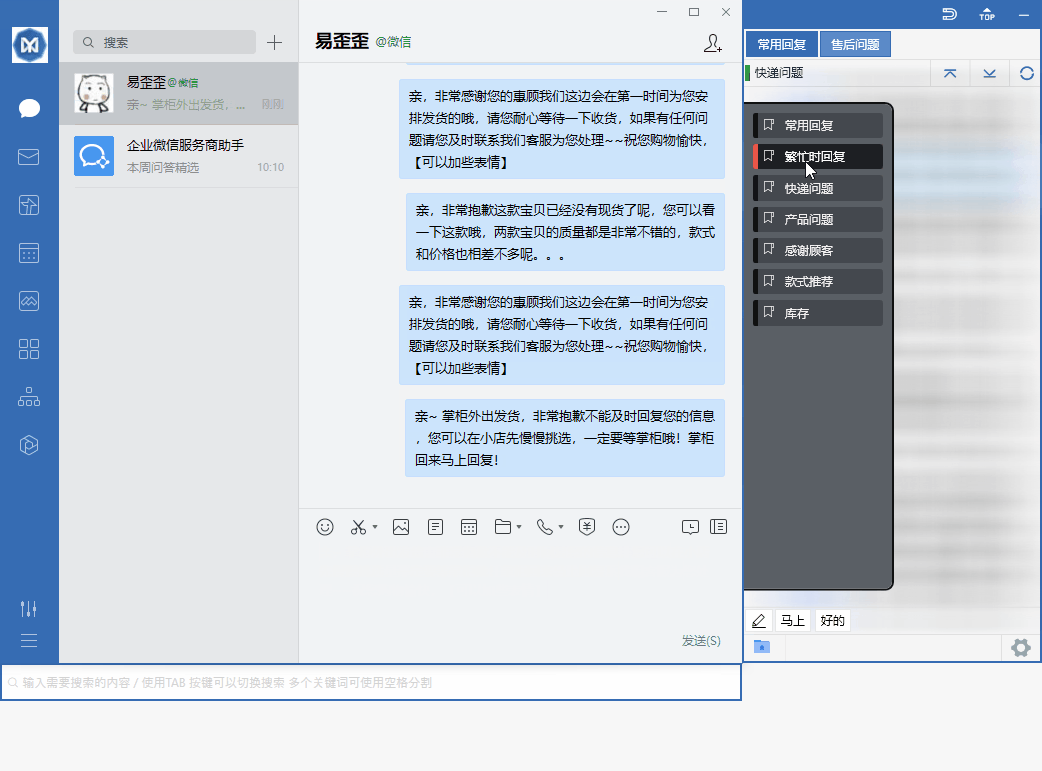
Can an iPhone install Yiwaiwai? Is it safe to use on iPhone?
Yes. Yiwaiwai has an officially listed iOS version on the App Store (developer Wang Jinping), a free download, with the page not listing any in-app purchase or subscription items, and going through Apple Store review is relatively reassuring.
The phone client is positioned as a companion tool for storing and viewing canned responses; Pro payment and the main usage are on the Windows desktop. One thing to note is that past versions have had user feedback about crashes, images not sending, and data loss when switching devices, so if that concerns you, you can look at recent reviews before installing.
The Android version of Yiwaiwai downloads slowly. How do I speed it up?
The Yiwaiwai Android installer is not large, and slowness is usually cross-border public-network jitter rather than server-side throttling.
To speed it up, you can switch to a more stable network or retry outside peak hours, and a download tool with resuming capability can also reduce the loss of restarting after a break, which is a common community approach. Note: get the package only from this site, yiwaiwaiservice.com, and do not download from an imitation site of unknown origin (some imitation sites have a button that jumps to an unrelated random .shop domain to deliver the file directly, with bundling or malware risk). For daily heavy use, we still recommend the Windows computer client, which has more complete features.
Compiled from public sources such as Apple macOS Support, Microsoft Support, Alibaba Cloud OSS and others; every link is clickable for verification.
Frequently Asked Questions
How do I register an account for Yiwaiwai on an Android phone? Is the process complicated?
It is not complicated. Open the Yiwaiwai Android app, tap Register/Sign in or Start now, choose the phone-number option, enter your 11-digit phone number, tap Get code, then enter the 6-digit SMS code you receive to confirm. Registration is complete and you are signed in automatically. Some pages also support registration with an email address plus a password. On Android, your canned responses roam and sync across devices along with your account. One reminder: whether an overseas phone number can receive the verification code needs to be tested in practice, and if it does not arrive you can switch to email registration.
How do I sign in to Yiwaiwai on a Windows computer? Do I have to register on a phone first?
You do not necessarily have to register on a phone first. The account is universal. You can go straight to the official website or the client and tap Register/Sign in, register with a phone number and SMS code, or register with an email address plus a password, then sign in on the Windows client with that account and password. After you sign in, the software automatically docks onto supported chat windows such as QQ, WeChat, Qianniu, and Pinduoduo, and you can double-click a canned response to send it. If you already registered on a phone before, simply sign in on the computer with the same account and your canned responses will sync automatically.
Can I buy Yiwaiwai membership in the App Store with an overseas Apple ID?
Basically no. The Yiwaiwai app in the Apple App Store is a free download, the page lists no in-app purchases or subscriptions, and the mobile side is positioned as a companion tool for storing and viewing canned responses, while payment (Pro/VIP) mainly happens on the Windows desktop. In other words, membership is not bought through App Store in-app purchase, so no matter which country the Apple ID is from, you cannot buy Yiwaiwai membership directly in the App Store. To activate membership, you need to pay at the official price on the desktop (starting at 48 RMB per year), and overseas users mostly pay via Alipay, WeChat, or a top-up agent on Taobao.
How can ethnic Chinese in the Philippines download the computer version of Yiwaiwai? Do they need a mainland phone number?
Downloading Yiwaiwai itself does not require signing in or a phone number. Go to the Windows or Mac download page on this site (look for yiwaiwaiservice.com) and get the installer straight from this site. A phone number is only used to register an account when you want the cloud sync or multi-person sharing of the online version. If you only want local use, you can install the standalone version directly, with no registration, no internet, and data stored on the local machine. Whether a mainland phone number is required and whether an overseas number can receive the verification code are not clearly stated officially and are unverified. For downloads, recognize only yiwaiwaiservice.com, and do not download from a high-quality imitation site that redirects to an unrelated .shop or similar domain (needs to be tested in practice).
On an Android phone, installing Yiwaiwai keeps showing a risk warning. Should I install it?
When installing Yiwaiwai on an Android phone keeps showing a risk warning, Android routinely warns about apk files from outside its source app store, which is very common for domestic utility tools, so there is no need to reject it based on the warning alone. The key is still the source: a package taken from this site (yiwaiwaiservice.com) is relatively reliable, while one from an unknown third-party site, especially where the download link jumps to an unfamiliar domain, is reason to watch out for bundling. It is best to download from this site first and grant only the necessary permissions during installation. In fact, the phone client is mainly a companion tool for storing and viewing canned responses; the main paid use and primary usage are on the computer.
Are there any security issues using Yiwaiwai for registration handling on an iPad?
The Yiwaiwai iOS version is officially listed on the App Store, and downloading through the Apple review channel is itself relatively low-risk. But to be clear: its phone and tablet client is positioned only as a companion tool for storing and viewing canned responses; the real window docking and quick replies are mainly on the Windows desktop, and what you can do on an iPad is limited. The so-called multiple-instance handling is more of a desktop scenario. Using the companion features normally on an iPad is mainly gated for security by the App Store; how usable it actually is on an iPad is best tested by yourself.
Can canned responses on Yiwaiwai sync between Android and iPhone?
Yes, provided you use the connected edition and sign in to the same account. Yiwaiwai supports all platforms: Windows, macOS, Android, iOS, and a browser extension. Canned responses roam across devices with your account and sync in real time through the cloud, so a change made on one device updates automatically on the other signed-in devices. That is why Android and iPhone signed in to the same account can sync with each other. Note: standalone (offline) edition data is stored only on the local machine and is not uploaded to the cloud, so it does not support cross-device sync. Also, the mobile apps are mainly a companion tool for storing and viewing scripts; the main editing and paid features are on the desktop. Whether the cloud can be reached smoothly from overseas needs to be confirmed by your own testing.
If I use Yiwaiwai in Taiwan, do I need a mainland mobile number to register?
Yiwaiwai registration is primarily based on a mobile number, and it is also mentioned that you can register with an email address plus a password. It is aimed at the mainland e-commerce ecosystem, and whether an overseas or Taiwan mobile number can receive the SMS verification code normally is not clearly stated by the official side, so it needs to be tested and confirmed. It is recommended to first try a local mobile number; if you do not receive the verification code, switch to email registration (the email receives a verification code for activation), which is usually more reliable. If even cloud sign-in does not go smoothly, you can directly use the standalone / offline version, which lets you use the basic features without registering an account.
Can a Malaysian mobile number register for Yiwaiwai, or can you only use a mainland number?
Yiwaiwai registration is primarily based on a mobile number, and it also supports registration with an email address plus a password. Whether a local Malaysian mobile number can receive the SMS verification code is not clearly stated by the official side for overseas use, so you need to test it yourself. It is recommended to give priority to trying email registration (the email receives a verification code for activation), to avoid the problem of cross-border SMS not arriving. If cloud sign-in and sync do not go smoothly, you can directly switch to the standalone / offline version, which needs no registration and saves data locally, and you can use the quick-reply and canned-response features as usual.
How do you turn on cloud sync of canned responses in Yiwaiwai, and when you sign in on a different device, will the canned responses sync automatically?
Yiwaiwai can sync automatically. Cloud sync is an online-version / VIP feature: after you sign in to the client with your account and password, the canned-response data syncs to the cloud in real time, so a change made on one device automatically updates other signed-in devices, and signing in on a different device also shows the same canned responses. To enable it, register and sign in to an account and use a version that supports cloud sync (the free version can store about 200 entries, while VIP can store more than 10000 entries and enjoy automatic cloud backup). If you are using the standalone / offline version, the data is stored only locally and does not roam through the cloud.
What should you do if you register for Yiwaiwai with a mobile number but do not receive the SMS verification code?
When Yiwaiwai does not receive the SMS verification code, common causes are cross-border SMS delay or blocking, the number being subject to risk control, or an unstable network. You can: first, wait 1 to 2 minutes and then tap to request the code again, and check your SMS blocking list and spam folder; second, confirm that the number is entered correctly (11 digits) and retry at a different time; third, switch to registration with an email address plus a password (the email receives a verification code for activation), which is often more reliable for overseas users than a cross-border SMS. If none of these work and you only need basic features, simply use the standalone / offline version, which can be used without registration. (There is no dedicated official FAQ for SMS problems; the above is a general approach and needs to be tested and confirmed.)
Can a Yiwaiwai account be signed in to on a computer and a phone at the same time using the same account?
Yes. The official side of Yiwaiwai clearly states that the same account supports sign-in on multiple devices at the same time with automatic cloud sync, and canned responses roam across platforms along with the account, supporting Windows, macOS, Android, iOS, and a browser extension. In other words, when a computer and a phone sign in with the same account, the canned responses stay consistent. Note: the number of devices online at the same time is tied to the license type / version, with the personal version usually allowing only one device online at a time, while a multi-device license or the enterprise version supports several, subject to the device management / seat count shown in the back end.
How do you set up multi-device synchronized sign-in for Yiwaiwai, since the company has several computers that need the same canned responses?
The Yiwaiwai approach is that all the computers sign in to the online-version client with the same account, and the canned responses will then sync to the cloud in real time and stay consistent; a change on one device automatically updates the other signed-in devices. For team scenarios, it is recommended to put shared content in the public / company canned responses (shared by everyone, editable by several people at the same time with real-time sync), while private canned responses are visible only to the owner. Members can also create several customer service sub-accounts and assign roles and permissions. Key point: the number of devices online at the same time is limited by the license type, so for several computers please choose a license that supports multiple devices or the enterprise version, and view the online devices under account management / device management in the back end.
What kind of mobile number do you need to register for Yiwaiwai here in Vietnam, and can a local number receive the code?
Yiwaiwai registration is primarily based on a mobile number, and it also supports registration with an email address plus a password. Whether a local Vietnamese mobile number can receive the SMS verification code is not clearly stated by the official side for overseas use, so it needs to be tested and confirmed, since cross-border SMS often has delays or is blocked. A more reliable approach is to register with an email address (the email receives a verification code for activation). If cloud sign-in and sync do not go smoothly, you can directly use the standalone / offline version, which needs no registration and saves data locally, and you can use the quick-reply feature as usual without depending on receiving a code.
Can Yiwaiwai be registered with an email address, and what do you do if you do not have a mainland mobile number?
Yes. In addition to a mobile number, some Yiwaiwai pages mention support for registration with an email address plus a password, where you fill in the email and set a password, and the email receives a verification code for activation. When you do not have a mainland mobile number, email registration is the more worry-free route, and for overseas users it also avoids the problem of cross-border SMS not arriving. If you only need basic features such as quick replies and do not want to fuss over registration, you can also directly use the standalone / offline version, which is fully local and needs no account registration. The cloud sync feature, however, requires an online account, and its overseas reachability needs to be tested.
How do you register for Yiwaiwai on an iPhone, and what do you do if you cannot find it in the overseas App Store?
The iOS client has the Yiwaiwai app in the App Store (free download). If you cannot find it in an overseas region, it is usually because the app is mainly listed in the China region; you can switch to a China-region Apple ID to download it, or first use it on the computer (Windows). The phone client is by design a companion tool for storing and viewing canned responses, with the core features on the desktop. After downloading, register and sign in with a mobile number or an email address, and as long as it is the same account as on the computer, the canned responses will sync through the cloud. Whether it can be listed in overseas regions and whether cross-border downloads go smoothly need to be tested and confirmed.
How do you recover your Yiwaiwai password if you forget it, and can you still sign in if no mobile number is bound?
For Yiwaiwai you usually tap Forgot password on the sign-in page and reset it by receiving a verification code through the mobile number or email address used at registration. If you registered with a mobile number, it is recommended to recover it using that number; if you registered with an email address, recover it using the email address. The material does not give a specific recovery path for the case where no mobile number is bound, so this needs to be tested or you can contact official customer service (support email: [email protected], with a promised reply within 24 hours). A reminder: standalone / offline version data is stored locally and does not depend on a cloud account, so there is no issue of cloud recovery.
Does Yiwaiwai registration definitely require a mainland China mobile number, and can an overseas mobile number register?
Yiwaiwai official registration is primarily based on an 11-digit mobile number (it also supports registration with an email address plus a password), and this 11-digit format is basically designed for mainland mobile numbers. Whether an overseas mobile number can be entered and receive the verification code is not clearly stated by either the official side or a trustworthy community. If you do not have a mainland number, the two most reliable routes are: first, switch to the email address plus password method to register, with the email receiving a verification code for activation, which does not depend on a mobile number; second, if you only need basic features, the standalone / offline version needs no registration at all and no Internet connection, and the data is stored on your local machine. Whether overseas cloud sync can connect normally is likewise unverified, so it is recommended to test it first or consult official customer service (email [email protected]) to confirm.
Can Yiwaiwai be registered with an email address, or only with a mobile number?
Yiwaiwai can be registered with an email address. Official registration is primarily based on a mobile number (entering an 11-digit mobile number plus a 6-digit SMS verification code), but some pages also clearly mention support for the email address plus password registration method, where the process is to fill in the email and password, then have the email receive a verification code to activate the account. For overseas users who do not have a mainland mobile number, email registration is a more convenient alternative. After registration is complete, you sign in to the client with your account and password, and the software automatically attaches to chat windows such as QQ, WeChat, and Qianniu, so you double-click a canned response to send it. If you only use basic features, you can also choose the standalone version with no registration at all.
Can a Hong Kong mobile number register for Yiwaiwai and receive the verification code normally?
Yiwaiwai official registration is primarily based on an 11-digit mobile number, and this format is basically designed for mainland mobile numbers. Whether a Hong Kong 8-digit mobile number can be entered and receive the verification code normally is not clearly stated by either the official side or a trustworthy community, so it is unverified, and testing and confirming is recommended. If you run into being unable to register or not receiving the code, there are two reliable alternatives: first, switch to email address plus password registration, with the email receiving a verification code for activation, which does not depend on a mobile number; second, if you only use basic features, choose the standalone / offline version with no registration at all and no Internet connection, with the data stored on your local machine. In addition, whether overseas cloud sync can connect smoothly is also not stated by the official side, so you can first test with email registration or consult official customer service (email [email protected]).
How do you fix it if a Taiwan +886 mobile number registers for Yiwaiwai but does not receive the verification code?
Yiwaiwai official registration is primarily based on an 11-digit mobile number, basically designed for the mainland number format, and whether a Taiwan +886 number can receive the verification code is not stated by the official side, with not receiving it in practice being a common situation. It is recommended to go directly with these two alternative routes: first, register with the email address plus password method, having the email receive a verification code to activate the account, which fully bypasses SMS; second, if you only need basic features, choose the standalone / offline version with no registration and no Internet connection, with the data stored on your local machine for long-term use. If you want cloud sync but are stuck on receiving the code, you can first register with an email address, then contact official customer service (email [email protected], replying within 24 hours) to confirm the availability of overseas accounts. This is an unverified scenario, so go by your own testing.
Can Yiwaiwai be used in Thailand, and can a Thai phone number register an account?
Whether Yiwaiwai can be used stably in Thailand is not specifically addressed by the official side or by Chinese-language communities; it is unverified and would need testing. On registration: Yiwaiwai mainly uses a mainland phone number (11 digits plus a 6-digit SMS code), and whether a Thai phone number can receive the code and register is not clearly stated by the official side and very likely is not supported, so it would need to be confirmed through testing. There are two alternatives: first, some pages mention that you can register with email plus password (the email receives an activation code), and overseas users can try email first; second, simply use the standalone/offline version, which requires no account registration at all and is purely local, bypassing the phone-number problem.